How to archive a web page so it still exists later

Archive a web page three ways at once: submit it to the Wayback Machine for a public, third-party-dated copy; save your own PDF for a readable offline record; and keep a full-page screenshot as visual proof. Public archives fail on paywalled or logged-in pages, so the local copy matters.
See the tools in action
A bookmark is a promise that someone else will keep a page online for you. They frequently do not. Pew Research Center measured this in 2024 and found that 38 percent of web pages that existed in 2013 were no longer accessible ten years later. Nearly a quarter of news pages they sampled already contained at least one dead link. If a page matters to you, the only reliable copy is one that does not depend on the publisher.
Three layers, because each one fails differently
| Method | Proves the date | Survives your hard drive dying | Works behind a login | Keeps the text searchable |
|---|---|---|---|---|
| Wayback Machine capture | Yes, independently | Yes | No | Yes |
| archive.today snapshot | Yes, independently | Yes | No | Yes |
| Your own PDF | Weakly, file metadata only | Only if backed up | Yes | Yes |
| Full-page screenshot | No | Only if backed up | Yes | Only after OCR |
| WARC capture | Weakly, unless hosted | Only if backed up | Yes, with the right tool | Yes |
| Perma.cc link | Yes, institutionally | Yes | No | Yes |
Layer 1: push it into a public archive
The Internet Archive has been crawling the web since 1996 and the Wayback Machine now holds well over 900 billion captures. You do not have to wait for a crawler to find your page. Go to web.archive.org, use the Save Page Now box, paste the URL and submit. The capture is timestamped by a third party, which is what makes it useful as evidence rather than merely as a backup.
- archive.today (also reachable as archive.ph) stores both a rendered screenshot and the text, and often succeeds on pages the Wayback Machine cannot render.
- Perma.cc, run by the Harvard Library Innovation Lab, is built for legal and academic citation and produces a permanent link that courts and journals accept.
- None of the three can reach anything behind a login, a paywall or a country block. They see what an anonymous visitor sees.
Public archives honour removal requests and robots directives. A page you archived can later be withdrawn from the archive by the site owner. Never treat a public archive as your only copy of something that matters.
Layer 2: keep your own readable copy
This is the layer you control. The goal is a file that opens in twenty years without needing a specific browser version.
- Clean the pagePaste the URL into the web page printer and delete the banners, ad slots and comment sections. What remains is what you are actually archiving.
- Save as PDF, not as an imageUse the browser Save as PDF destination so the text stays selectable. See saving a page as a PDF.
- Add the URL and date to the file itselfBrowsers put both in the header and footer of a printout. For an archive copy, leave headers and footers ON: the provenance is more valuable than the tidier margin.
- Name it so you can find itA convention like
2026-04-09_example-com_pricing-page.pdfsorts chronologically and survives being moved between folders. - Store two copies in two placesOne local, one in cloud storage. A single copy in one location is not an archive.
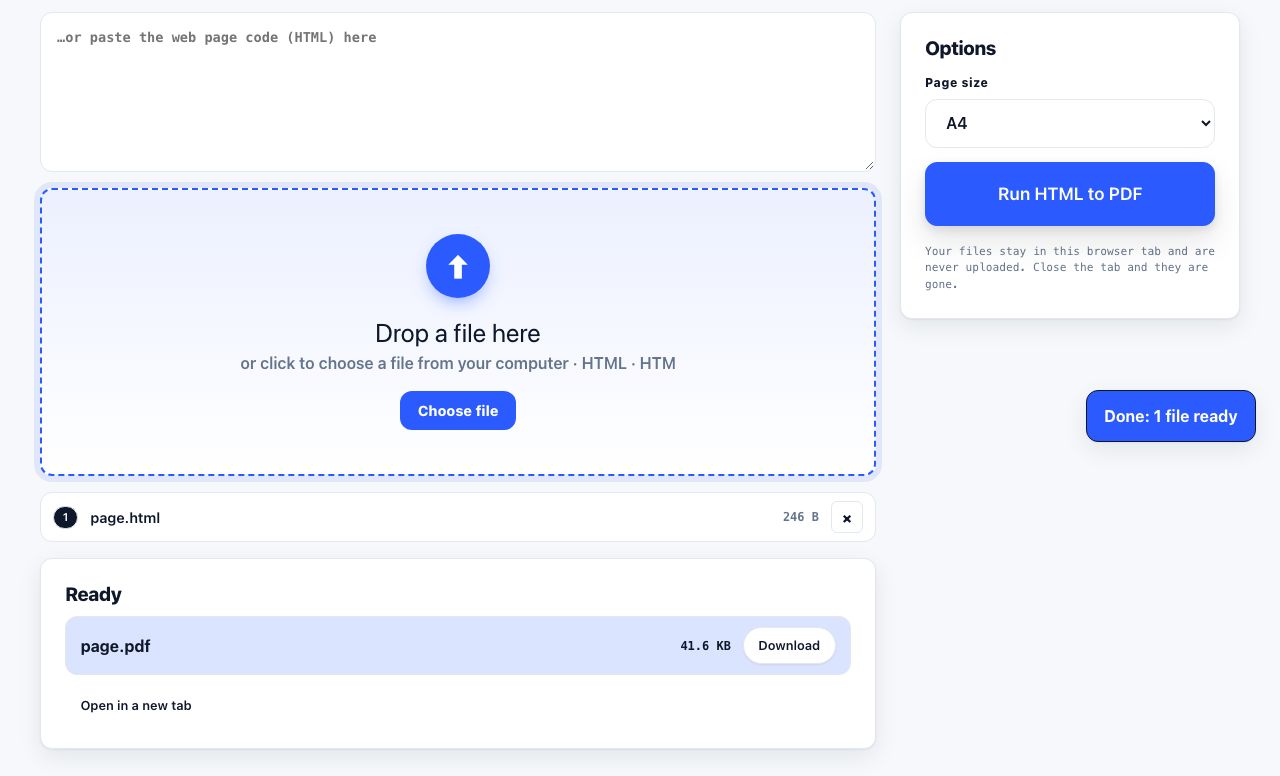
Have the raw HTML saved already? Convert it to a PDF that opens anywhere.
HTML to PDF →PDF/A: the archival flavour of PDF
PDF/A is a restricted subset of PDF, standardised as ISO 19005, designed so a file renders identically decades from now. It embeds every font, forbids external references, JavaScript and encryption, and requires colour to be defined in device-independent terms. An ordinary PDF that links to a web font or relies on a viewer default can drift; a PDF/A cannot. For anything legal, medical or institutional, it is the right container. For a saved recipe, ordinary PDF is fine.
WARC: what real archivists use
A WARC file (Web ARChive, standardised as ISO 28500) stores the raw HTTP requests and responses for a page and everything it loads: HTML, CSS, JavaScript, images, fonts. Replaying a WARC reconstructs the page as a browser saw it, including interactive behaviour that a PDF flattens away. It is what the Internet Archive itself writes.
# One page plus its assets into a WARC, using wget
wget --warc-file=example --page-requisites --span-hosts \
     --convert-links --no-warc-compression \
     https://example.com/article

# Self-hosted archiving that writes WARC, PDF, screenshot and
# plain text for every URL you add
pip install archivebox && archivebox add "https://example.com/article"A WARC is only useful with a replay tool. If nobody in your organisation knows how to open one, a PDF plus a screenshot is a more honest archive than a file format nobody can read.
When you need dated evidence, not just a copy
A PDF you made yourself proves what you saw. It does not prove when, because file timestamps are editable in seconds. If a dispute is plausible, add independent corroboration:
- Submit the URL to the Wayback Machine and record the resulting capture link, which carries their timestamp, not yours.
- Compute a checksum of your local file, for example
shasum -a 256 evidence.pdf, and record it somewhere append-only such as a dated email to yourself. - For higher stakes, use an RFC 3161 trusted timestamp service, which signs the hash of your file with a time from an accredited authority.
- Keep the original file untouched. Work on copies. A modified file breaks its own hash.
The quick version
- Casual bookmark you want to keep, save a PDF and stop there.
- Research or references, PDF plus a Wayback capture, filed with the date in the name.
- A price, offer or policy you may need to point at, Wayback capture, PDF, and a full-page screenshot.
- Legal, academic or regulatory, Perma.cc or a WARC, plus PDF/A, plus a hash.
- Something behind a login, only your own copies work. Public archives cannot see it.
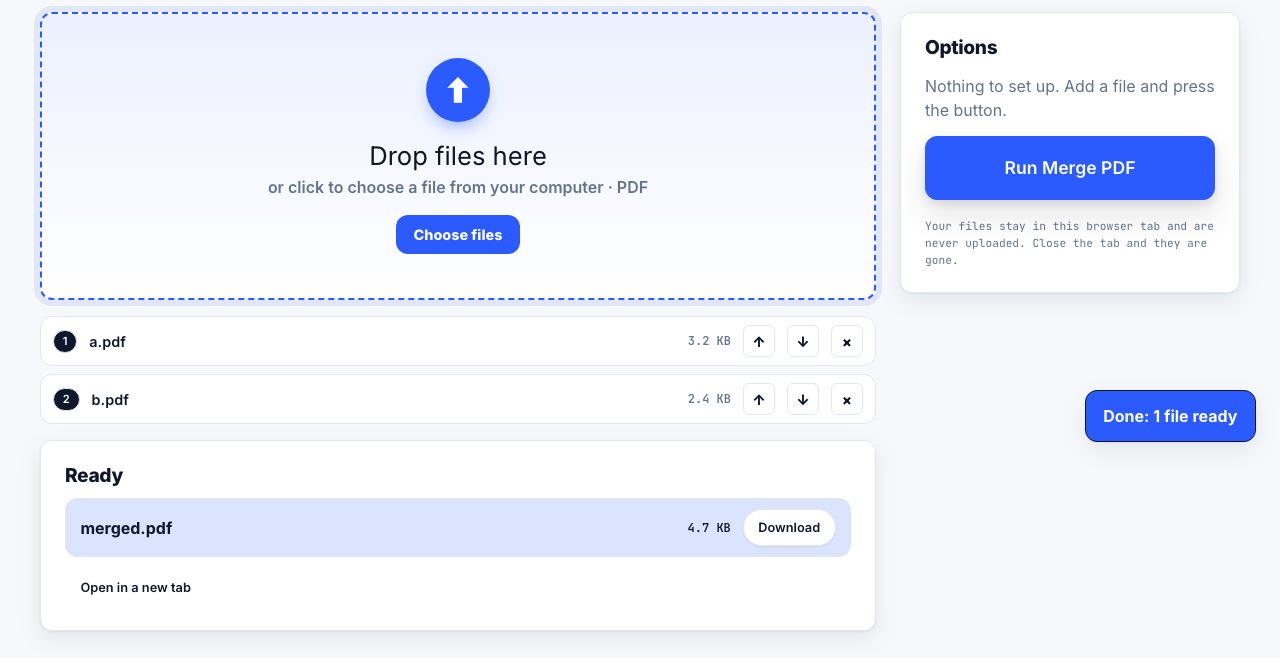
Combine a batch of archived pages into one dated dossier.
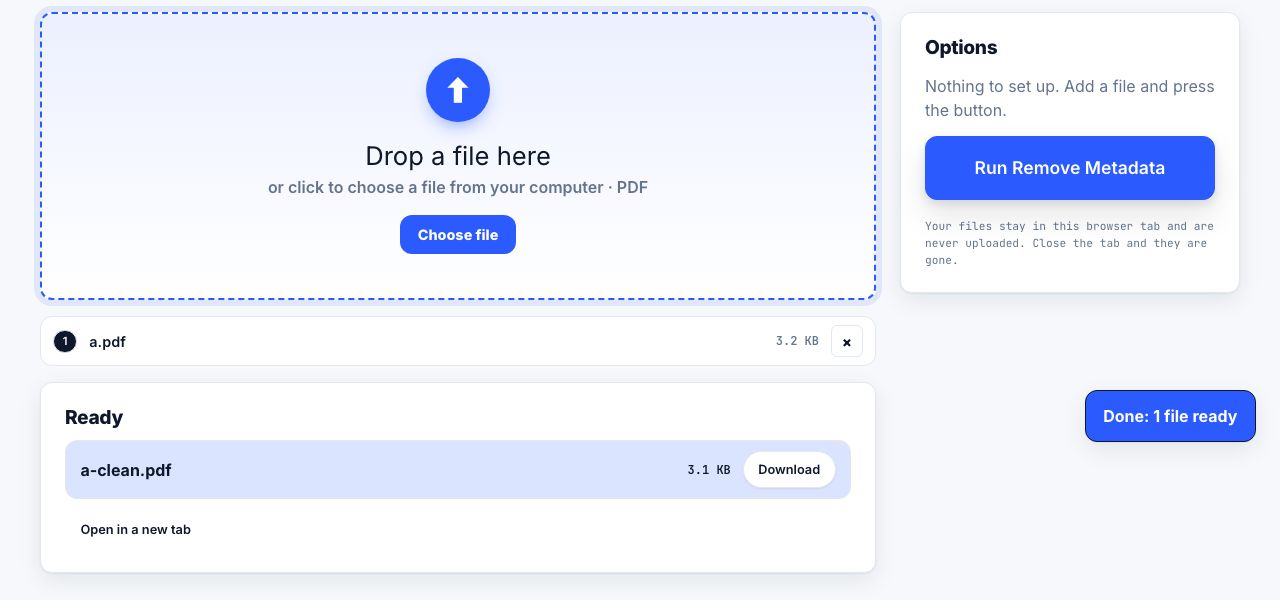
Merge PDF →One last thing: strip the metadata before you share an archive with anyone else. A saved PDF carries your operating system username and often the local folder path, which is more than you meant to disclose. Remove metadata covers what is in there.
Frequently asked questions
How do I save a web page to the Wayback Machine?
Go to web.archive.org, find the "Save Page Now" box on the right, paste the full URL and click Save Page. The capture usually completes in under a minute and returns a permanent link containing the capture timestamp.
Can I archive a page that requires a login?
Not through a public archive, which visits as an anonymous user. Save your own PDF and full-page screenshot while you are signed in, and keep both, since these are the only copies that will exist.
Is a PDF good enough for long-term archiving?
For most purposes yes, especially if the fonts are embedded. For legal, medical or institutional records, convert to PDF/A, which is standardised as ISO 19005 and forbids external dependencies so the file renders the same decades later.
What is link rot?
The gradual disappearance of web pages that other pages link to. Pew Research Center found that 38 percent of pages online in 2013 were gone by 2023. It affects citations, news articles and government pages alike.
Does archiving a page break copyright?
Saving a personal copy for reference is generally accepted in most jurisdictions. Republishing an archived copy is a different matter. Public archives such as the Internet Archive operate under their own arrangements and honour takedown requests.