Remove Metadata
Clear the standard author, title, app and date fields plus document-level XMP. Embedded photo details and comments are not changed.
Remove Metadata clears standard PDF document properties and the document-level XMP stream, including title, author, subject, keywords, creator, producer and dates. It does not remove metadata embedded inside photos or other content. You download a new copy; everything runs in your browser.
What is PDF metadata?
What is PDF metadata?
Metadata is the set of hidden details saved inside a file, such as its title, author and dates. In a PDF that includes the author (often a login name), the subject, keywords, the app and version that made it, and the exact time it was created and last edited. None of it shows on the page, but anyone can read it from the file properties. That is how an anonymous-looking PDF ends up naming its author, the firm's software or the minute it was last changed.
Where does a PDF keep these details?
A PDF can store details in its document information block and in a separate document-level XMP stream. This tool clears both, including title, author, subject, keywords, creator, producer and dates. It does not inspect or remove EXIF or XMP data embedded in photographs, comments, attachments or other page content.
Why remove metadata from a PDF?
- Stop leaking names. The author field usually holds whoever installed the software, and the creator field names the app and version. Neither belongs in a file sent to a journalist, the other side of a deal or the public.
- Protect sources and clients. Legal, HR and press work often depends on a document not revealing where it came from. The hidden details are the first place anyone looks.
- Share less personal data. Privacy rules such as GDPR expect you to share no more personal data than necessary. Names and dates hidden in the file are personal data you do not need to send.
- Remove stale or wrong values. A template's original title and author travel with every file made from it. Clearing them stops one client seeing another client's name.
- Nothing leaves your machine. The file is opened and rewritten in your browser. No upload, no copy on a server.
How to remove PDF metadata, step by step
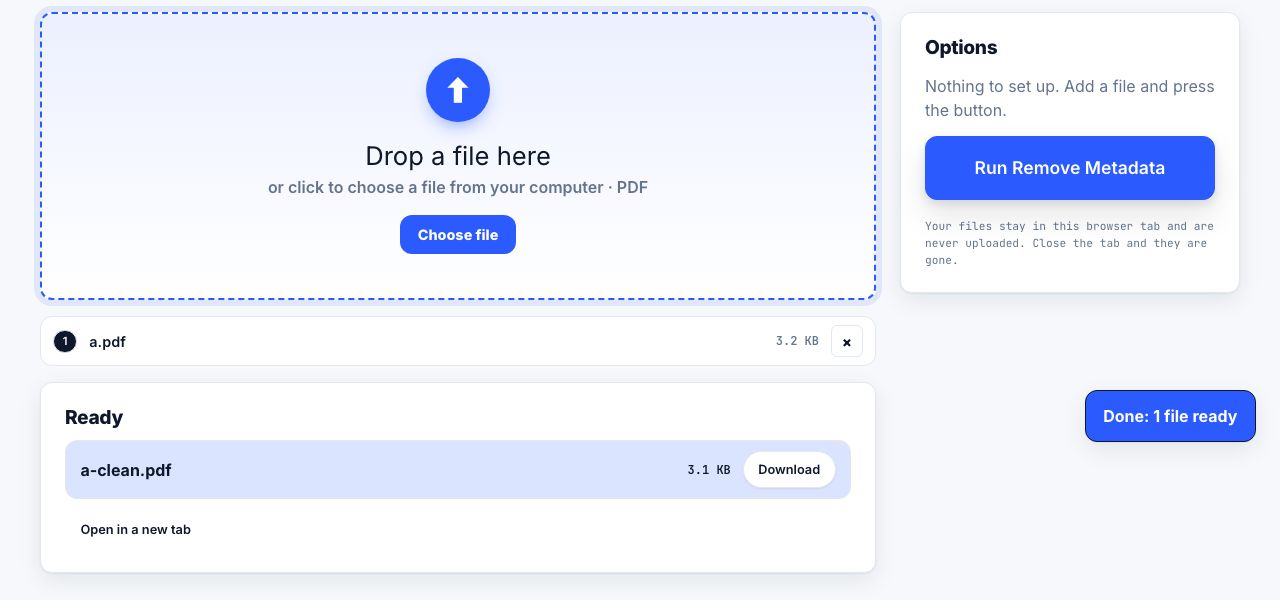
- Open Remove Metadata and drop your PDF Drop one file. There are no options; every field is cleared.
- Click Run Remove Metadata Title, author, subject, keywords, creator and producer are cleared, both document dates are reset, and the document-level XMP stream is removed.
- Download the clean copy The file arrives as
name-clean.pdf. - Check the result Open it in PDF Reader: the top bar shows the file name instead of a title and no author. For a full check, view the file properties in a desktop PDF app.
Frequently asked questions
What exactly does Remove Metadata delete?
It clears Title, Author, Subject, Keywords, Creator and Producer, resets the creation and modification dates, and removes the document-level XMP stream. Page text and images, comments, attachments, bookmarks and form fields are not changed.
Does it remove XMP metadata?
It removes the document-level XMP stream in the PDF catalog. It does not inspect metadata embedded inside photos or other page content, so check those separately when location or provenance could identify someone.
Does it remove comments, hidden text or attachments?
No. Those are content, not hidden details. Delete comments in an editor, use Redact PDF for text that must disappear, and Flatten PDF for form fields. Clearing the hidden details is one step in a clean-up checklist, not the whole of it.
Why do the dates show 1970 instead of being blank?
PDF apps expect a date value, so the tool writes the earliest one the format can hold, 1 January 1970, rather than leaving a broken entry. It says nothing about when you actually created or edited the file.
Is it free and private?
Yes. No account, no upload, no limit. The file is processed in your browser and the original on your disk is never touched; you download a new copy.
Looking for the long version? The guides cover each of these jobs in depth.
How to save a web page as a PDF in any browser
Save a web page as a PDF in Chrome, Safari, Firefox and Edge. The shortcut, Microsoft Print to PDF, page ranges, and how to keep the links clickable.
How to archive a web page so it still exists later
Web pages disappear. Archive one properly with the Wayback Machine, a WARC capture, a PDF/A file or a dated screenshot, and know which method proves what.
How to delete pages from a PDF
Remove blank pages, cover sheets, ad pages or a whole appendix from a PDF. Delete by thumbnail or page range in your browser, then download the clean file.
How to remove hidden metadata from a PDF before sharing
Remove PDF author, title, timestamps and document XMP. Learn how to inspect embedded photo EXIF, comments and attachments, which this tool does not remove.