XLSX to PDF Converter
Convert an XLSX Excel workbook into a PDF for sharing, printing, or filing. PrintxPDF reads the sheets in your browser and creates a clean PDF without an account.
Convert an XLSX Excel workbook into a PDF for sharing, printing, or filing. PrintxPDF reads the sheets in your browser and creates a clean PDF without an account.
What is XLSX to PDF Converter?
XLSX, XLS and CSV: three kinds of spreadsheet file
XLSX is the file Excel saves by default today. It holds every sheet in the workbook, plus the formulas, styles and cell values. XLS is the older Excel format from before 2007 and holds the same kind of thing in an older way. CSV is the simplest of the three: plain text with one row per line and commas between the cells, with no colours, no formulas and only one sheet. This tool reads all three.
PDF: a page that cannot be resorted
A PDF is a fixed page. Each page has a set size and every item on it sits in a set place, so it prints and displays the same everywhere. A spreadsheet saved as a PDF cannot be recalculated, resorted or quietly edited by the person who receives it. That is exactly what you want when you send a price list, a statement or a report for the record.
Why convert Excel to PDF?
- Share numbers that cannot be edited. A PDF price list or expense report is read-only for the recipient. Nobody can nudge a cell, hide a column or break a formula before forwarding it.
- Print without surprises. Spreadsheets print unpredictably. The PDF lays each sheet out on A4 pages so what you preview is what comes out of the printer.
- Open without Excel. Not everyone has Excel or wants to open a workbook from an unknown sender. A PDF opens in any browser or phone.
- Keep the workbook private. The file is read and drawn inside your browser tab. Payroll, budgets and customer lists are never uploaded to a server.
How to use XLSX to PDF Converter
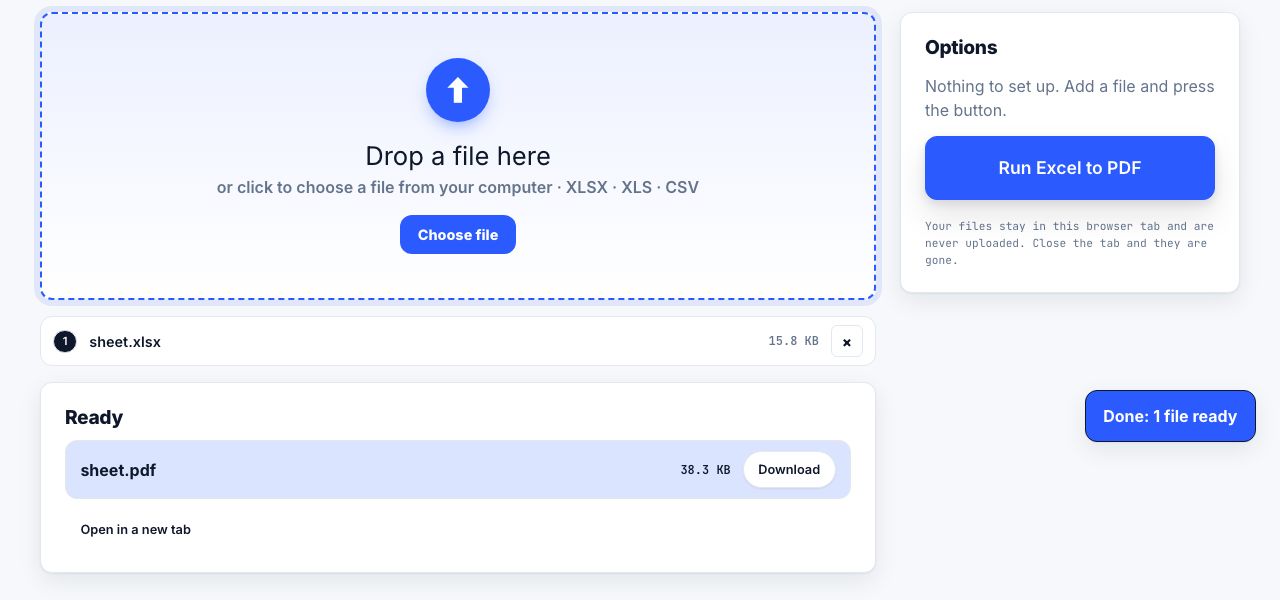
- Open Excel to PDF and drop your spreadsheet Drag an .xlsx, .xls or .csv file onto the drop zone, or click to choose it from your computer.
- Run Excel to PDF There are no options to set. Click Run Excel to PDF. The workbook is read, then each sheet is laid out as a table with its name as a heading.
- Download the PDF The PDF downloads automatically, named after the workbook. Each sheet starts on a new page, in the order the sheets appear in Excel.
- Check wide sheets Pages are A4 portrait. A sheet with many columns is shrunk to fit the page width and may be small. For a readable print, split very wide sheets into narrower ones in Excel first, or hide columns you do not need.
Frequently asked questions
Will Excel to PDF keep my formulas?
The PDF shows the last calculated value of each formula cell, as saved by Excel, not the formula itself. If a workbook was saved without recalculating, the values may be out of date: press F9 in Excel and save before converting.
Does it keep colours, borders and charts?
No. Cell values, merged cells and the row and column grid are drawn as a plain table. Fill colours, fonts, colour rules, charts, pictures and comments are not carried over. For a styled export, use the built-in PDF export in Excel or Google Sheets.
Can I select or search text in the PDF?
No. Each page is saved as a picture of the table, so the text cannot be selected or searched. If you need a searchable copy, run the result through OCR PDF, which turns a picture of text back into real text.
Does it convert every sheet in the workbook?
Yes. Every sheet becomes its own section with the sheet name as a heading and a page break before the next sheet. Hidden sheets are included as well. If you want only one sheet, copy it into a new workbook first.
Is my spreadsheet uploaded?
No. The workbook is read inside your browser and the PDF is built there too. Nothing leaves your computer, and there is no account or file history to clear.
Looking for the long version? The guides cover each of these jobs in depth.
How to convert an Excel spreadsheet to PDF that actually fits
Stop Excel exporting 40 pages of stray columns. Set a print area, fit to one page wide, repeat header rows, control page breaks and export a readable PDF.
How to make a PDF from Word, Excel, PowerPoint or an ebook
Choose the right conversion route for a Word file, spreadsheet, slide deck or ebook, then check fonts, page breaks, worksheets and reading order.
How to fit more on a printed page without making it unreadable
Scale, margins, line spacing and pages per sheet compared, with a minimum readable size table so you know how far to push a document before it breaks.