Image to Text Converter
Extract readable text from a photo, screenshot, or scanned page with OCR. PrintxPDF recognises the image in your browser and creates a searchable result without uploading it.
Extract readable text from a photo, screenshot, or scanned page with OCR. PrintxPDF recognises the image in your browser and creates a searchable result without uploading it.
What is Image to Text Converter?
OCR: turning a picture of text into real text
A scanner or a phone camera only produces a picture. The words in it are just dots, so you cannot search for them or copy them. OCR (short for optical character recognition) looks at those dots, spots the shapes of letters and turns them back into real text a computer can search, copy and index. This tool does that entirely on your own device, inside the browser tab.
Searchable PDF: the scan with hidden text underneath
A searchable PDF keeps the scanned picture on the page and adds an invisible layer of real text lined up over the printed words. You still see the scan, but Find, copy and paste, screen readers and search tools read the hidden text underneath. This is the standard way archives and law firms make scanned records findable without retyping them.
Why OCR a scanned PDF?
- Find any line in seconds. A 30-page scan with no real text has to be read page by page. After OCR, searching for a name, invoice number or clause takes one keystroke in any PDF viewer.
- Copy text instead of retyping it. Paste addresses, tables and paragraphs from old paperwork straight into email, spreadsheets or a contract draft. The .txt download gives you the whole document in one editable file.
- Nothing leaves your computer. Contracts, medical records and ID scans are the documents people most often need to OCR, and the ones they least want on a stranger's server. Recognition runs on your own computer; the only download is the language pack.
- Make scans readable by other software. Screen readers, search tools and AI assistants all need real text. A searchable PDF turns a dead picture into a document they can actually read.
- Feed other tools. Once a scan has real text, PDF to Markdown, PDF to Word and PDF to Text can work on it too.
How to use Image to Text Converter
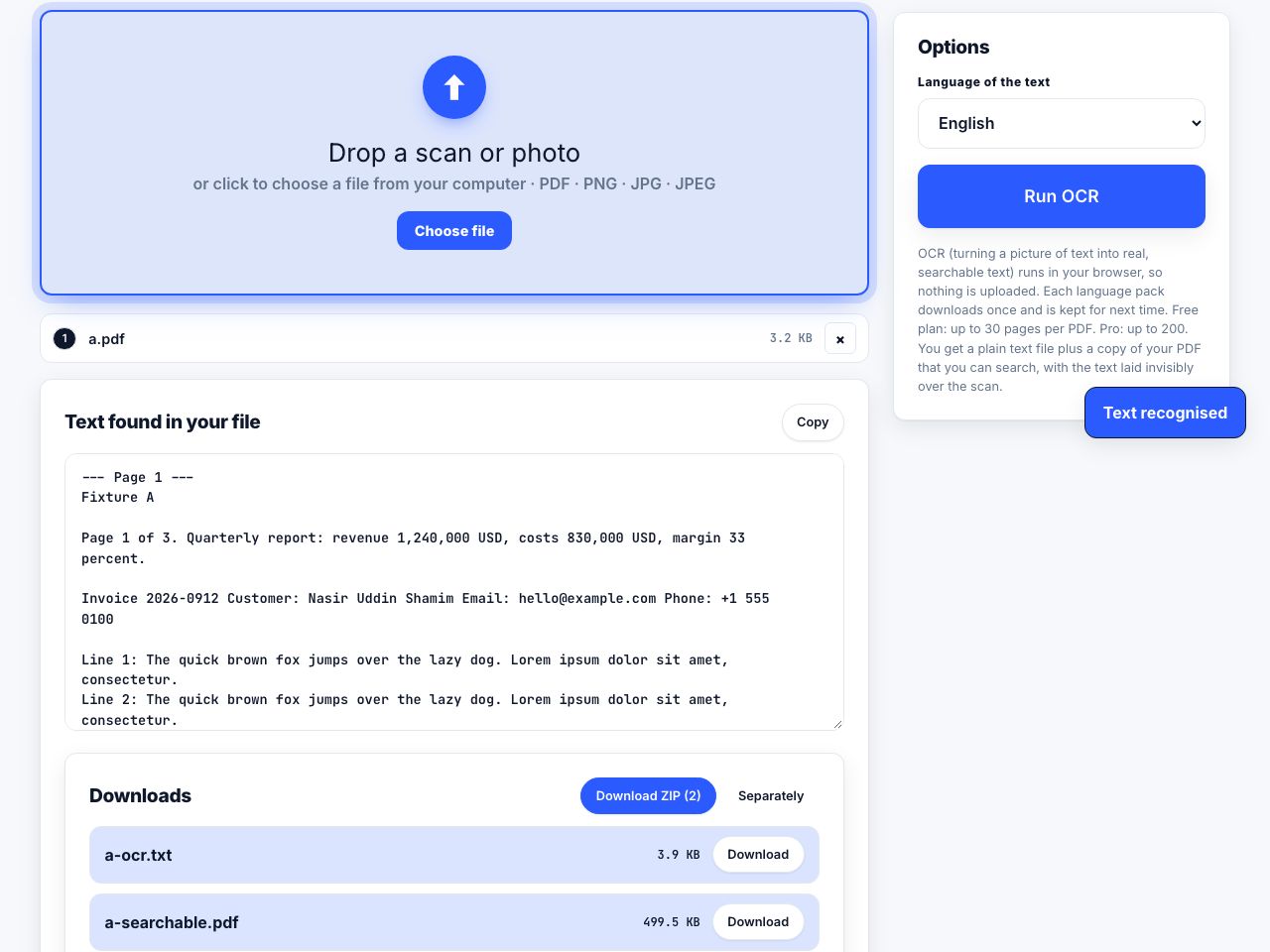
- Open OCR PDF and drop your scan Drop a PDF, PNG or JPG onto the page. One file at a time; PDFs are processed up to 30 pages on the free plan and 200 on Pro.
- Pick the language Choose the document's language from the list: English, Bengali, Hindi, Arabic, Spanish, French, German, Portuguese, Russian, Japanese, Chinese (simplified) or Korean. Matching the language matters more than anything else for accuracy.
- Click Run OCR The first run downloads a language pack of about 10 MB and keeps it for next time, so later runs start at once. A progress bar shows each page as it is recognised.
- Check the recognised text The text appears on the page with a Copy button. Skim it for misreads, which usually come from crooked scans or very small print.
- Download the results Under Downloads you get
name-ocr.txtwith all the text andname-searchable.pdf, the scan with the hidden text underneath.
Frequently asked questions
Is OCR PDF free, and does it upload my file?
It is free, with no account. Recognition runs inside your browser, so the scan itself never leaves your computer. The one thing fetched from the internet is the language pack, which is downloaded once and kept for next time.
How many pages can I OCR at once?
Up to 30 pages per PDF on the free plan and 200 on Pro. Longer files are processed up to that limit and the result tells you how many pages were covered. Split a long scan first with Split PDF if you need every page.
Does OCR work on handwriting?
Not reliably. The recognition is trained on printed type. Neat block capitals sometimes come through, but joined-up handwriting will mostly produce nonsense. For printed documents, a straight scan at the usual scanner sharpness (300 dots per inch) in the correct language gives the best results.
Can I search the PDF in languages other than English?
The .txt file holds the full recognised text in every supported language. The hidden text inside the searchable PDF uses a standard Western font, so for scripts such as Bengali, Arabic or Chinese, searching inside the PDF is limited; use the .txt for those languages.
Is the searchable PDF identical to my original?
It is a rebuilt copy: each page is redrawn as a picture with the hidden text laid over it. Links, bookmarks and fillable fields from the original are not carried across, and the file size will differ. Keep your original alongside it.
Looking for the long version? The guides cover each of these jobs in depth.
How to take a full-page screenshot of a website
Capture an entire scrolling web page as one image. Chrome DevTools, Firefox and Edge built-in capture, Safari Web Inspector, and when a PDF beats a PNG.
How to add scanned images to an existing PDF
Convert supported images into PDF pages, then merge them with an existing document. Set page size, check rotation and review the final order before sharing.
How to split a large PDF to get under an email size limit
Compare compression, chapter-based splitting and sharing links when a PDF is too large to email. Learn how message encoding affects attachment size.
How to compress a PDF without losing quality
Learn what lossless PDF compression preserves, when image-based compression affects text, and how to choose settings for a scan without risking the original.