How to print double-sided, including without a duplex printer

If your printer has a duplex unit, tick "Print on both sides" and choose Flip on long edge for portrait documents. Without one, print the odd pages, put the stack back in the tray, then print the even pages in reverse order. Test on four pages before committing to a long document.
See the tools in action
Double-sided printing halves your paper for free, and it is a checkbox. The only confusing parts are which edge to flip on, and what to do when your printer has no duplex unit.
If your printer has a duplex unit
Look for Print on both sides of paper in the print dialog on Windows, or Two-Sided on macOS. If it is greyed out, either the printer genuinely lacks the hardware or the driver has duplex disabled, check the printer properties before assuming.
Then pick the binding edge, which is where everyone goes wrong. The rule is about the physical paper, not about what you are reading:
| Document orientation | Choose | macOS calls it | Result |
|---|---|---|---|
| Portrait (most documents) | Flip on long edge | Long-Edge binding | Opens like a book. The correct default |
| Portrait, bound at the top | Flip on short edge | Short-Edge binding | Turns upward like a notepad |
| Landscape (slides, wide tables, two-up) | Flip on short edge | Short-Edge binding | Opens like a book held sideways |
| Landscape, bound at the top | Flip on long edge | Long-Edge binding | Turns upward |
The most common duplex mistake is printing a landscape document, such as two pages per sheet or a set of slides, with the portrait default of long-edge binding. Every second sheet then reads upside down. If you have flipped the page to landscape for any reason, flip the binding setting too.
If your printer has no duplex unit
Manual duplex is a two-pass job: print one side of every sheet, put the stack back in the tray, print the other side. The difficulty is that two independent things can be wrong, which way up you reload the stack, and which order the second pass runs in, and the same symptom can come from either.
- Print a four-page test firstNever diagnose this on a fifty-page document. Take any four-page file, or set the range to
1-4. - Print the odd pagesSet the odd/even control (see the table below) to odd pages only. You get sheets carrying pages 1 and 3.
- Reload without reorderingTake the output stack, do not shuffle it, and put it straight back into the tray. Write the word TOP in pencil on the leading edge of the first sheet so you can see afterwards what actually happened.
- Print the even pages in reverseSet the range to even pages only and turn on reverse order. Most printers deliver pages face down and stacked in reverse, so the even pass has to run backwards to line up.
- Read the result and adjust one variableIf page 2 is on the back of page 1 but upside down, you reloaded with the wrong face or the wrong edge leading: flip the stack the other way next time. If page 2 landed on the back of page 3, the order was wrong: toggle reverse order. Change one thing, not both.
- Write the recipe on a sticky noteOnce it works, the answer is the same for that printer forever. Two lines on a note taped to the printer saves this whole process next time.
| App | Odd and even pages | Reverse order |
|---|---|---|
| Adobe Acrobat Reader | More Options → Odd pages only / Even pages only | Tick Reverse pages in the same panel |
| macOS print sheet (Preview, Safari, Word) | Paper Handling → Pages to Print | Paper Handling → Page Order → Reverse |
| Microsoft Word (Windows) | Print → the range dropdown → Only Odd Pages / Only Even Pages | File → Options → Advanced → Print → Print pages in reverse order |
| Chrome or Edge PDF viewer | None. Type a range: 1,3,5,7,9 | None. Type the even pages backwards: 10,8,6,4,2 |
| Google Docs | None. Download as PDF and use a reader | n/a |
| Many Windows drivers | Print on both sides manually in Printing Preferences | The driver prompts you to reload and handles order itself |
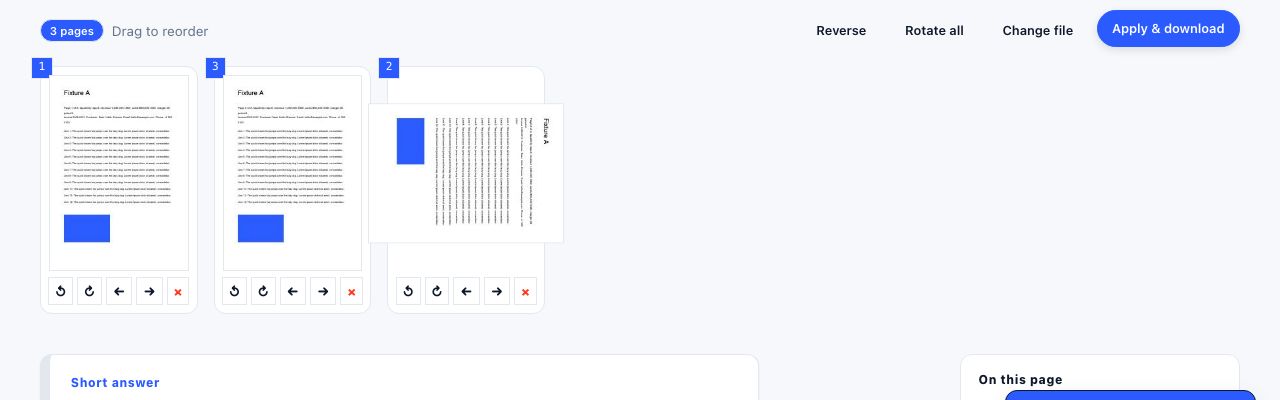
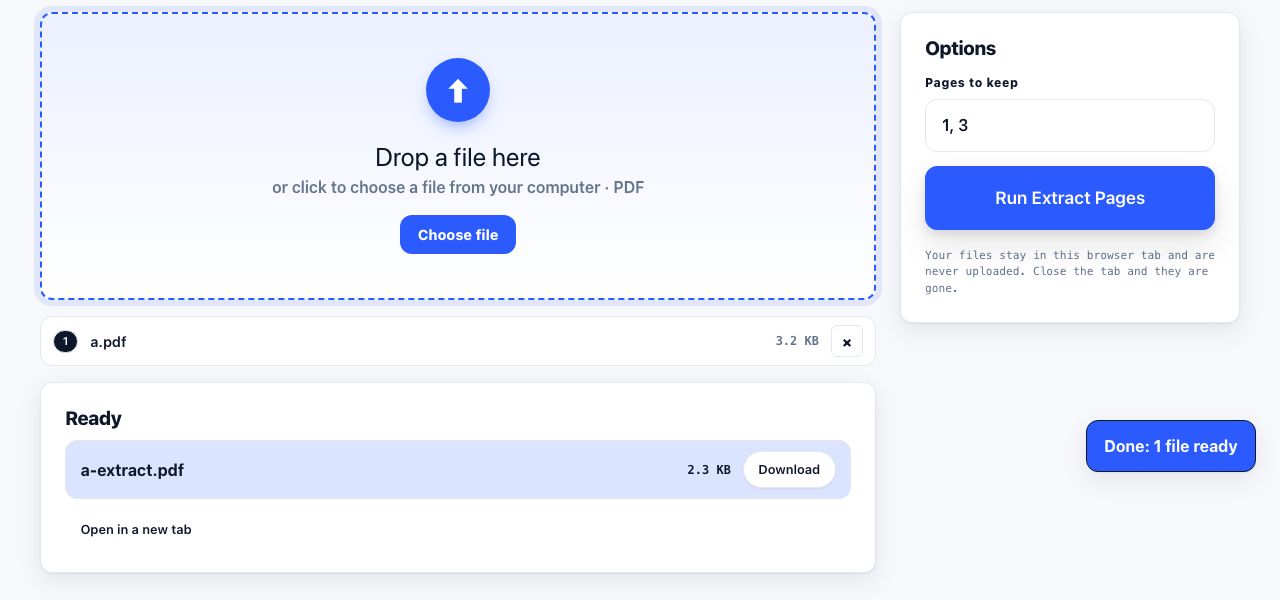
If your PDF viewer has no odd/even control, extract the odd pages into their own file once and print each half normally. It is more reliable than typing long comma-separated ranges, and you can reuse the split for the next copy.
Split a document into odd and even halves when your viewer has no odd/even setting.
Extract Pages →Paper matters more than you think
- Standard 80gsm office paper (24lb bond in US terms is a little heavier) shows through when both sides carry dense text. It is usable, but the back of the page is visible.
- 90 to 100gsm is the sweet spot for double-sided reports and handouts. It costs more per sheet, and you are buying half as many sheets.
- Lightweight 70 to 75gsm paper is for single-sided internal drafts. Do not duplex it: the show-through is bad and older printers jam.
- On an inkjet, heavy ink coverage makes paper curl and the second side can smear. Let the first pass dry for a minute before reloading.
Odd page counts and blank sheets
A document with an odd number of pages ends on a half-used sheet, and some drivers waste a whole sheet at the end of a manual duplex run. If you are printing several documents in one job, or you want a chapter to start on a right-hand page, insert deliberate blank pages so the breaks land where you want them rather than where the arithmetic puts them.
Insert blank pages or reorder a document so the double-sided breaks land in the right places.
Organize Pages →Booklets, if you want to go further
Acrobat Reader has a Booklet option that imposes pages two-up on landscape sheets in saddle-stitch order: fold the stack, staple the spine, get a small book. The page count must be a multiple of four, so add blanks. Without duplex, print the fronts, reload and print the backs, and remember landscape means short edge.
What it saves
Duplex halves your sheets, which is roughly a cent a page in paper and a great deal more in storage and weight. On a 24-page academic paper it turns twelve sheets into six; combined with two pages per sheet it turns twenty-four pages into six sheets. In an office printing 150,000 pages a year, defaulting to duplex saves around 150 reams of paper. Set it as the printer default and the saving happens whether anyone remembers or not, which is covered in saving ink and printing less overall.
Frequently asked questions
Should I flip on long edge or short edge?
Long edge for portrait documents, which is what you want almost always: the sheets open like a book. Short edge for landscape documents such as slides or two-pages-per-sheet layouts, and for anything you want to bind along the top.
How do I print double-sided without a duplex printer?
Print the odd pages, put the output stack straight back into the tray without reordering it, then print the even pages with reverse order turned on. Test on a four-page document first and note down what worked for your printer.
Why is every second page upside down?
You used the wrong binding edge, or you reloaded the stack the wrong way round. On a landscape document the correct choice is short edge, not the portrait default of long edge. Change one variable at a time and reprint four pages.
Which paper weight is best for double-sided printing?
90 to 100gsm. Standard 80gsm shows through under dense text and 70 to 75gsm is too thin to duplex at all. Since duplexing halves the number of sheets you buy, the heavier paper often costs no more in total.
Can I print double-sided from a phone?
Sometimes. AirPrint and Mopria both expose a two-sided option when the printer reports a duplex unit, usually under Options in the share sheet. Manual duplex is not practical from a phone, because there is no odd/even control.