How to convert a MOBI file to PDF

Upload the MOBI to a converter, pick a page size and margins, and download the PDF. MOBI is the retired Kindle format: compressed HTML inside a Palm database container, with no pages of its own, so the converter has to build them. Files bought with copy protection will not convert at all.
See the tools in action


MOBI began as Mobipocket, a French ebook format from 2000. Amazon bought the company in 2005 and made it the Kindle format for the next decade. Inside, a MOBI is a Palm database file: a list of numbered records holding your book as compressed HTML, plus small indexes for the table of contents and the images. It has no pages, almost no stylesheet support, and no concept of a sheet of paper.
That last point is the whole reason the conversion has settings. Nothing in the file says how wide a page should be, so you say it.
Where MOBI files come from now
Amazon retired the format in stages. Kindle Direct Publishing stopped accepting MOBI uploads from authors in 2021, and Send to Kindle stopped accepting .mobi files from readers in late 2022. Nobody makes new ones. So if you are holding one, it came from a short list of places.
- A backup of an old Kindle library, taken while the format was still supported.
- A book bundle bought years ago, from the era when a download page offered EPUB, MOBI and PDF side by side.
- A public domain archive. Project Gutenberg published MOBI downloads for years before retiring them, and thousands of those files are still sitting in folders.
- A conversion you made yourself in Calibre, to get a book onto a Kindle that would not read EPUB.
- A .prc file, which is the same format wearing an older extension. Treat it identically.
A .azw file looks like a MOBI and often is one, with Amazon copy protection wrapped around it. A .azw3 file is the newer, better format that replaced MOBI in 2011. If your file ends in .azw, .azw3 or .kfx, read ebook formats explained before you try anything.
MOBI is a weaker source than EPUB
| What you end up looking at | From MOBI | From EPUB |
|---|---|---|
| Body text | Clean, it was HTML all along | Clean |
| Images | Often visibly soft, they were shrunk when the MOBI was built | As sharp as the original files |
| Tables | Frequently collapse into runs of loose text | Usually survive intact |
| Fonts | Substituted, MOBI barely supports embedding them | Used when the converter can read them |
| Chapter breaks | Usually correct, they are marked in the file | Correct |
| Table of contents links | Usually present and working | Present and working |
| Footnotes | Collected at the end of the book | End of the chapter or the end of the book |
If the same book sits in your folder as both a .mobi and an .epub, convert the EPUB. It is the better source in every row of that table, and it takes exactly the same amount of your time.
Converting a MOBI, step by step
- Check the size before anything elseA genuine MOBI holding a novel is normally 200 KB to 3 MB. If yours is a few kilobytes, it is not a book, it is a download token, and converting it will produce nothing useful.
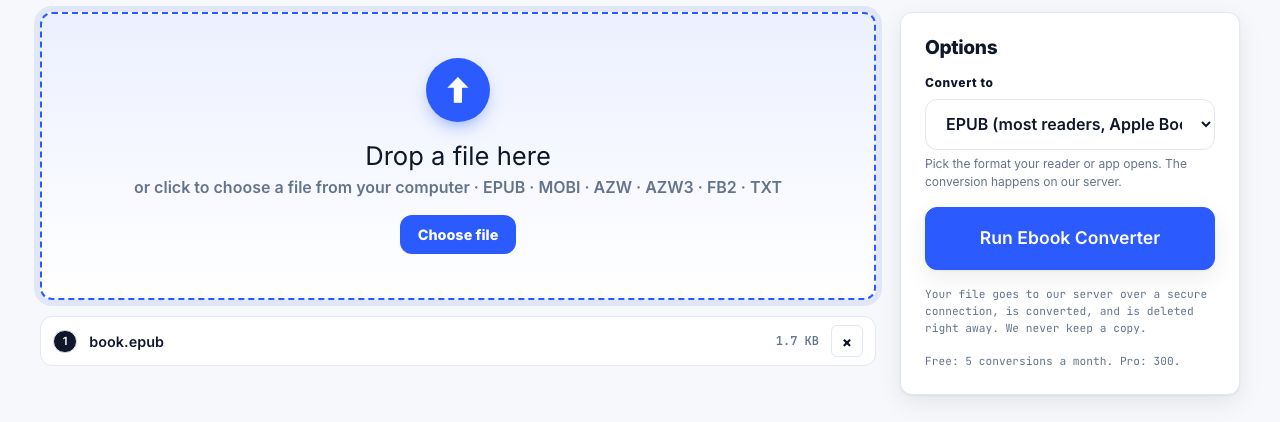
- Open the converterGo to MOBI to PDF and drop the file in. This tool runs on our server: the file is uploaded over a secure connection, converted, and deleted the moment it finishes. Up to 100 MB per file, two minutes per job. Free accounts get 5 server conversions a month, Pro and Lifetime 300, an API key 5,000.
- Pick a page sizeA4 or US Letter for printing. A5 or 6 × 9 inches for reading on a screen, where a full A4 line is uncomfortably long.
- Set margins and base text size20 mm and 11 pt is a sound default. Push the inside margin to 25 mm if the printout is going into a binder.
- Convert, then look at the pictures firstThe text will be fine. The images are where a MOBI conversion disappoints, so check the first illustration before you check anything else.
- Number the pagesThe book has real pages now. Add numbers with page numbers so a dropped stack can be put back in order.
Turn an old Kindle MOBI file into a PDF you can print, annotate and keep.
MOBI to PDF →Why the pictures come out soft
The early Kindle had a six-inch screen at 600 × 800 pixels showing four shades of grey, and MOBI was built to suit it. Illustrations were shrunk hard before they were packed in, and plenty were converted to greyscale on the way. A converter can only work with what is in the file. If a diagram is 450 pixels wide, it is still 450 pixels wide in the PDF, and stretching it across an A4 page only makes the blur larger.
There is no fix on this side of the conversion. If the pictures matter, and this is a technical book, an atlas or anything with diagrams, look for an EPUB or the publisher's own PDF instead of improving the MOBI. Sharpening filters make blur look like blur with edges.
Sometimes EPUB is the destination, not PDF
If the reason you are converting is that a modern reading app will not open your old MOBI, PDF is the wrong target. Convert MOBI to EPUB with the ebook converter and stop there. You get a file that reflows, that current e-readers and phone apps open natively, and that keeps the reader in control of the text size.
Go to PDF when you want paper, a stable page number to cite, or a file you can mark up. Going MOBI to EPUB to PDF as two separate steps is rarely worth it: each conversion is another chance to lose a table or a heading level.
When the file simply will not open
- It is protected. A file bought from a store and never opened outside its own app is almost certainly encrypted. See why some ebooks cannot be converted.
- The extension is a lie. Some downloads arrive named .mobi but are actually ZIP archives or PDFs. Open it in a text editor and look at the first few characters: a real MOBI shows readable structure markers, a ZIP starts with PK, a PDF starts with %PDF.
- The download was cut short. Compare the size on disk with the size the download page advertised. A truncated file often opens far enough to look real and then fails halfway through the conversion.
- It is a .azw file. That is a MOBI with Amazon protection around it, and it behaves like a locked file, not a broken one.
Once you have the PDF, open it in the PDF reader to check it. That tool works entirely inside your browser tab, so nothing is uploaded and the file never leaves your computer. If the book is one you will study rather than simply read, annotating a PDF for study covers what to do next.
Frequently asked questions
How do I open a MOBI file?
Old Kindles and Calibre open MOBI files directly. Most current apps do not, because Amazon retired the format: Send to Kindle stopped accepting .mobi files in late 2022. Converting to EPUB or PDF is usually simpler than hunting for a reader.
What is the difference between MOBI and AZW3?
MOBI dates from 2000 and has almost no styling support. AZW3, also called KF8, replaced it in 2011 and understands real stylesheets, embedded fonts and proper tables. AZW3 is the better source for any conversion.
Why are the images blurry after converting a MOBI to PDF?
They were already small. MOBI files were built for a 600 by 800 pixel greyscale screen, so illustrations were shrunk before being packed in. A converter cannot add detail that is not in the file.
Can I convert a MOBI I bought from the Kindle store?
Only if it is DRM-free. Most store purchases carry copy protection, which encrypts the contents so no converter can read them. Our tools cannot and will not remove it.
Is a .prc file the same as a MOBI?
Yes, in almost every case. The .prc extension is the older Palm naming for the same container format. Feed it to a MOBI converter and it will be treated identically.