Ebook formats explained: EPUB, MOBI, AZW3, PDF and plain text


EPUB is the open standard and the best format to keep. MOBI is the retired Kindle format and AZW3 is its replacement, both tied to Amazon. PDF is a set of fixed pages rather than a reflowing book. Plain text is the most durable and the least capable. Keep EPUB and make the others from it.
See the tools in action

Every ebook format answers one question: how do you store a book so a machine can draw it? There are only two answers. Reflowable formats store the words plus a set of style rules and let the reading app decide where lines break. Fixed formats store the finished page. Everything that follows, which apps open what, what can be printed, what can be quoted, comes out of that single split.
The five formats, side by side
| Format | What it really is | Layout | Opens in | Keep it when |
|---|---|---|---|---|
| EPUB (.epub) | A ZIP archive of XHTML chapters, a stylesheet, images and an index listing the reading order | Reflowable, unless the publisher chose fixed | Apple Books, Kobo, Google Play Books, Calibre, nearly every e-reader, and Kindle via Send to Kindle | You want one master copy that everything can read |
| MOBI (.mobi, .prc) | Compressed HTML inside a Palm database container, designed in 2000 | Reflowable, with almost no styling | Old Kindles and Calibre. Send to Kindle stopped accepting it in 2022 | You have nothing better. Convert it and move on |
| AZW3 (.azw3, KF8) | Amazon's 2011 replacement for MOBI, with real stylesheet support | Reflowable | Kindle devices and apps, Calibre | You read on a Kindle and the file is DRM-free |
| PDF (.pdf) | A set of numbered fixed pages plus an index saying where each one sits | Fixed, always | Every computer, phone and browser of the last twenty years | The layout carries meaning: sheet music, textbooks, forms, anything printed |
| Plain text (.txt) | The words, and nothing else at all | None, the app does whatever it likes | Everything, including a text editor from 1985 | You want the words to survive no matter what happens |
Three more you will meet. .azw is usually a MOBI with Amazon copy protection wrapped around it. .kfx is the current Kindle format and is not publicly documented. .acsm is not a book at all: it is a small XML file, normally under 5 KB, that a reading app exchanges for the real download.
Reflowable and fixed, in one paragraph
Open a reflowable book on a phone at 14 pt and it is 480 screens long. Turn the text up to 20 pt and it is 700. Nothing in the file changed; the app simply re-broke the lines. That is why a reflowable ebook cannot have real page numbers, and why quoting one properly means naming a chapter and a paragraph rather than a page. A PDF is the exact opposite: page 214 is page 214 on a phone, on a projector and on paper, forever.
Getting a book onto the device you actually own
- Kindle. EPUB now works. Send to Kindle accepts EPUB, PDF, DOCX and TXT, and converts EPUB into Amazon's own format on arrival. MOBI has not been accepted since 2022.
- Kobo. EPUB natively and comfortably. PDF opens but is awkward on a small screen.
- Apple Books. EPUB and PDF, both first class. Not MOBI or AZW3.
- Any phone. A reading app handles EPUB; PDFs open in the built-in viewer with no app at all.
- A printer. PDF only. Every other format has to become a PDF first, whether you do it deliberately or the app does it for you badly.
Which format to keep for twenty years
Keep EPUB. The specification is open and maintained by the W3C, and the container is an ordinary ZIP archive holding ordinary XHTML files. That is the part that matters: if every reading app on earth disappeared tomorrow, you could still rename a copy to .zip, unzip it, and open the chapters in a browser. Try it on any EPUB you own right now and you will see the chapter files.
AZW3 and KFX fail that test. They are proprietary, one is undocumented, and both are tied to a single company's hardware and account system. MOBI fails it for a different reason: it is already retired, and the tools that read it are shrinking every year.
PDF is durable in its own way. The format is an ISO standard (ISO 32000), and PDF/A is a restricted version designed specifically for archives, which embeds every font it uses so the page renders identically in fifty years. It is the right archive format when the layout is part of the meaning. It is the wrong one for a novel.
Plain text has no formatting, no images, no italics and no structure, and that is precisely why it will still open. It is the format of last resort and a genuinely good backup for anything irreplaceable.
- Keep the EPUB as your master copy, DRM-free.
- Keep a PDF as well when the layout carries information: a cookbook, a manual with diagrams, anything you will print.
- Keep a .txt extract of anything genuinely irreplaceable. It costs a few kilobytes.
- Store them as ordinary files with readable names, in a folder you back up, not only inside a reading app's private library.
- Name them so they sort usefully: author, then year, then title.
Converting between them, and which directions work
| Conversion | How it goes |
|---|---|
| EPUB to PDF | Good. Choosing the page size is the whole job |
| MOBI to PDF | Fine for text, soft for pictures, unreliable for tables |
| MOBI or AZW3 to EPUB | Good, and it rescues an old file into a format with a future |
| EPUB to plain text | Perfect for the words, and everything else is gone |
| PDF to EPUB | The hard direction. A PDF has pages, not chapters, so the structure has to be guessed |
| Anything with DRM | Does not happen, in any direction |
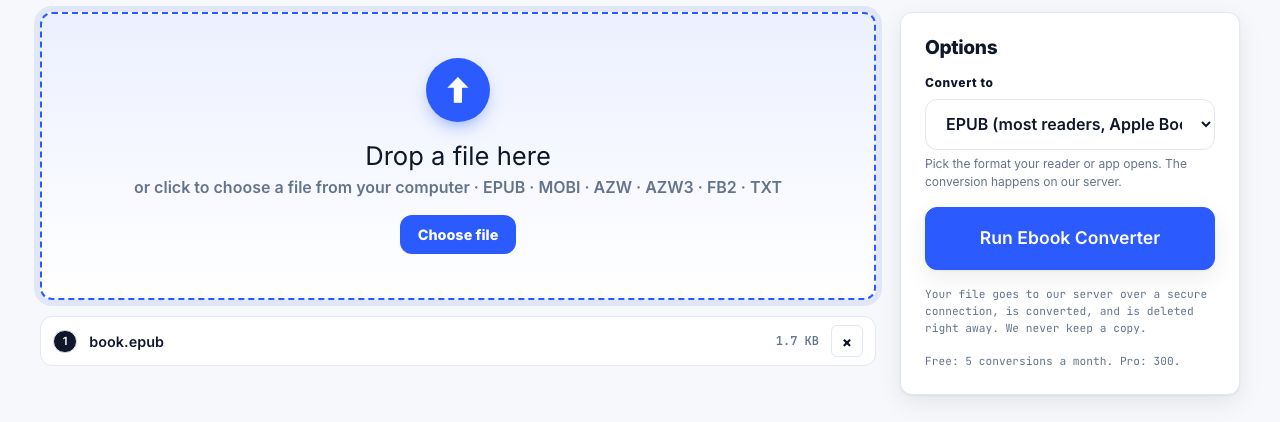
The ebook converter handles the reflowable formats in both directions. It runs on our server: the file is uploaded over a secure connection, converted, and deleted the moment it finishes. Files up to 100 MB, two minutes per job. Free accounts get 5 server conversions a month, Pro and Lifetime 300, an API key 5,000, which are listed on the pricing page.
Convert between EPUB, MOBI, AZW3, PDF and plain text.
Ebook Converter →The one direction to avoid
PDF to EPUB is the conversion people are most often disappointed by, and the reason is structural rather than a matter of tool quality. A PDF does not know it has chapters. It knows it has pages, and on each page a set of instructions to place text at particular coordinates. A converter has to infer, from font sizes and positions, which lines are headings, which are body text, and which are running headers and page numbers to throw away. On a clean, born-digital report it does a decent job. On a two-column academic paper or a scanned book it produces a mess.
If all you want from a PDF is the words, do not convert it to EPUB. Use PDF to text, which makes no promises about structure and therefore breaks none. Converting a PDF to plain text explains what you can expect to get back.
Where to start
Look at what you have. If it is EPUB, you are already holding the best copy, and you can make a PDF whenever you need paper. If it is MOBI or AZW3, convert it to EPUB now and keep both. If it is PDF and that is the only copy, read it in the PDF reader, which runs entirely in your browser tab with nothing uploaded, and accept that this book is a set of pages rather than a reflowing text.
Frequently asked questions
What is the best ebook format to keep long term?
EPUB, without protection. It is an open standard maintained by the W3C, and the file is a ZIP archive of XHTML pages, so you can open the chapters in a browser even with no reading app at all. Keep a PDF as well if the layout matters.
What is the difference between EPUB and PDF?
EPUB is reflowable: it stores the words and style rules, and the app decides where lines break, so there are no fixed pages. PDF stores finished pages that look identical everywhere. EPUB is better for reading, PDF for printing and quoting.
Can a Kindle read EPUB files?
Yes. Send to Kindle accepts EPUB, PDF, DOCX and TXT, and converts EPUB to Amazon format when it arrives. It stopped accepting MOBI files in late 2022, which is the opposite of the situation most guides describe.
What is an AZW3 file?
AZW3, also called KF8, is the format Amazon introduced in 2011 to replace MOBI. It supports real stylesheets, embedded fonts and proper tables. It only opens on Kindle devices and apps, or in Calibre, and it converts only when it is DRM-free.
Why can I not turn my PDF into a good EPUB?
A PDF has no chapters, only pages with text placed at coordinates. The converter has to guess which lines are headings and which are page furniture to discard. It works on clean, born-digital documents and fails on two-column layouts and scans.