How to convert an EPUB to PDF, and what you give up

Upload the EPUB to a converter, choose a page size such as A4 or 6 by 9 inches, set the margins and the base font size, then download the PDF. An EPUB holds no pages of its own, so the converter builds them. You gain a printable fixed layout and lose reader control over text size.
See the tools in action

An EPUB is a ZIP archive with a small web site inside it: one XHTML file per chapter, a stylesheet, the images, and an index file that lists the chapters in reading order. Take a copy, rename it from book.epub to book.zip, and your file manager will open it like any other archive. Nowhere in that bundle is there a page. Pages appear only when a reading app draws the text at a size somebody chose, which is why the same novel is 380 screens on a phone and 210 on a tablet.
Converting to PDF is the moment that choice gets made once and frozen. That is the whole job, and it is worth thirty seconds of thought before you press the button.
What changes when a book stops reflowing
| Behaviour | EPUB | PDF made from it |
|---|---|---|
| Text size | The reader sets it, lines re-break to fit | Fixed at conversion time, you zoom instead |
| Page numbers | None exist in the file, each app invents its own | Real and stable, safe to quote in an essay |
| Printing | The app decides the layout, results vary wildly | What you see is what comes out of the printer |
| Size of a 300-page novel | Usually 300 KB to 2 MB | Usually 1 MB to 5 MB |
| Night mode | Colours swap, the text stays crisp | The viewer inverts the whole page, photographs included |
| Footnotes | Tap for a pop-up, tap again to dismiss | A link that jumps to the foot of the chapter or the end of the book |
| On a 6-inch e-reader | Native and comfortable | Readable but cramped, and you will be panning |
Choose the page size before anything else
Every other setting follows from this one. Decide whether the PDF is going onto paper or onto a screen, then pick accordingly.
| Page size | Dimensions | Roughly words per page | Choose it when |
|---|---|---|---|
| A4 | 210 × 297 mm | About 500 | Printing at home or at work outside North America |
| US Letter | 216 × 279 mm | About 480 | Printing at home or at work in North America |
| 6 × 9 inch trade | 152 × 229 mm | About 300 | You want it to read like a paperback |
| A5 | 148 × 210 mm | About 280 | Reading on a tablet held in one hand |
| B5 | 176 × 250 mm | About 380 | A compromise between printing and reading on screen |
A4 holds a lot of words per page, which is efficient for paper and tiring to read on screen. If you convert a novel to A4 and then read it on a laptop, the line length is roughly 95 characters, well past the 55 to 75 that most people read comfortably. For screen reading, A5 or 6 × 9 inches is the better answer.
Converting an EPUB, step by step
- Check the book is not copy-protectedIf the shop that sold it applied copy protection, no converter can read it, ours included. What DRM is and what to do about it lists the signs, the clearest being a file that only opens after you sign in.
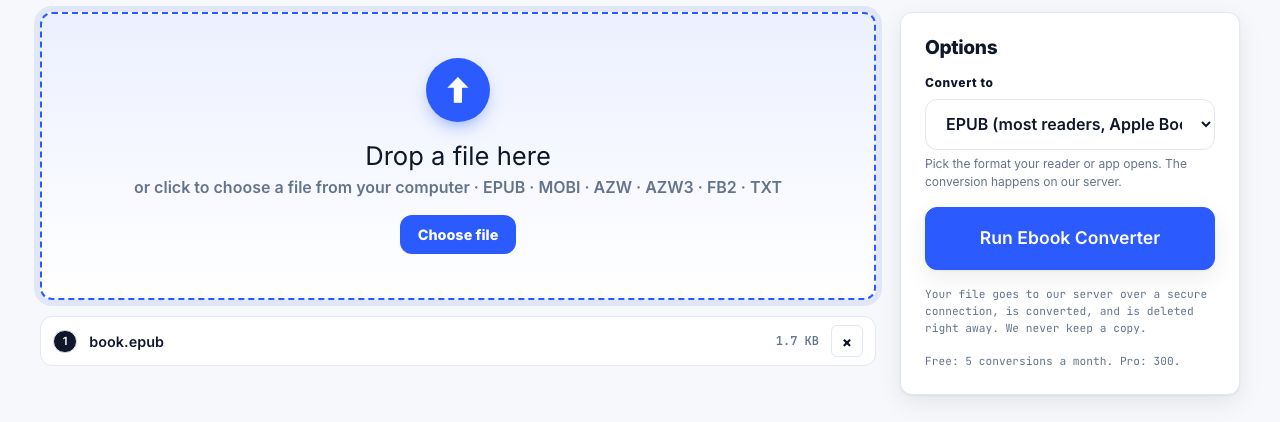
- Open the converterGo to EPUB to PDF and drop the file in. This one runs on our server: the file is uploaded over a secure connection, converted, and deleted the moment it finishes. Files up to 100 MB, two minutes per job.
- Set the page sizeA4 or US Letter if it is going to a printer. A5 or 6 × 9 inches if it is going to a screen. This is the decision that shapes everything else.
- Set the margins and the base text sizeStart at 20 mm all round and 11 pt. If the PDF is destined for a ring binder or a staple in the corner, raise the inside margin to 25 mm so the first few characters of each line do not vanish into the fold.
- Convert, then check three specific placesThe cover, the first page of chapter two, and the table of contents. Those three catch nearly every problem: a cover stretched to fill a page it was never sized for, a chapter heading stranded alone at the foot of a page, and a contents list whose entries no longer jump anywhere.
- Add the page numbers the EPUB never hadThe book has real pages now, so give them numbers with page numbers. Without them, a dropped printout is a jigsaw.
Convert an EPUB into a fixed-page PDF at the page size you choose.
EPUB to PDF →Server conversions are metered because they use our machines rather than your browser. Free accounts get 5 a month, Pro and Lifetime get 300, an API key gets 5,000. The numbers are on the pricing page.
What does not survive the trip
- Reader control over text size. This is the real loss. In an EPUB, someone who needs 24 pt text turns it up and the book re-breaks around them. In a PDF they must zoom, which means scrolling sideways at the end of every single line.
- Pop-up footnotes become jump links. You land at the note, then have to find your way back. In a printed copy you simply lose them.
- Embedded fonts are used when the converter can read them and quietly substituted when it cannot. A book set in a licensed serif may come out in a generic one. The words are identical, the texture is not.
- Dark-mode and screen-width styling. EPUB stylesheets can react to the device. A PDF page cannot react to anything.
- Audio and video. EPUB 3 allows both. A PDF page has no way to hold them, so they are dropped, not converted.
- Reading position sync across your phone, tablet and e-reader. That lives in the reading app, not in the file.
If the person who will read this needs large text, do not convert. Keep the EPUB for them and send the PDF to the printer instead. A PDF is the least accessible way to hand someone a book, because enlarging the text is the one thing the format cannot do.
Fixed-layout EPUB converts almost perfectly
Cookbooks, comics, photography books and children's picture books are often published as fixed-layout EPUB, where each page is already a designed page with a stated width and height. Those convert page for page with very little to decide, because the page size question is already answered inside the file.
You can tell which kind you have in two seconds: change the font size in your reading app. If the text re-breaks, it is reflowable. If nothing moves and the whole page just scales, it is fixed-layout. If you would rather look inside, rename a copy to .zip, open the .opf file in a text editor and look for this line.
<!-- Fixed-layout: every page is already a page -->
<meta property="rendition:layout">pre-paginated</meta>

<!-- Reflowable books say this, or say nothing at all -->
<meta property="rendition:layout">reflowable</meta>
The PDF came out bigger than you expected
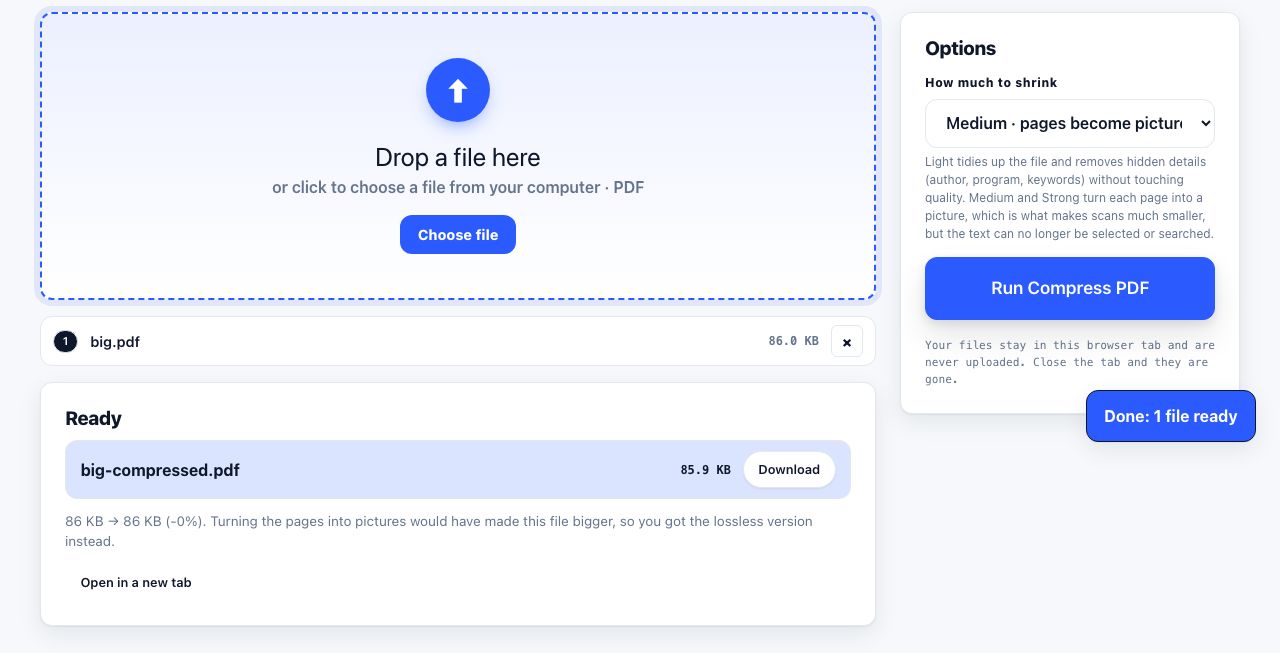
A 900 KB EPUB can become a 12 MB PDF. Two things cause it. First, an illustrated EPUB stores each image once and reuses it, while the PDF writer may place a fresh copy on every page it appears on. Second, every embedded font is written into the PDF in full unless the converter subsets it down to the characters actually used. Run the result through compression and both usually collapse. How to compress a PDF explains which setting to reach for.
Shrink the converted book before you email it or send it to print.
Compress PDF →Keep the EPUB
The conversion goes one way in practice. Turning a PDF back into a decent EPUB means guessing where chapters start and where headers and page numbers should be thrown away, and the result is never as clean as the file you began with. Keep the EPUB as your master copy and treat the PDF as an output you can always make again.
When you just want to read the result, open it in the PDF reader. That tool runs entirely inside your browser tab: nothing is uploaded, the file never leaves your computer, and closing the tab is the end of it. If all you need is the text, with no layout at all, PDF to text will give you the words in a plain file.
Frequently asked questions
How do I convert an EPUB to PDF for free?
Upload the EPUB to a converter, choose a page size and margins, and download the result. Our EPUB to PDF tool runs on our server, so the file is uploaded over a secure connection and deleted the moment the job finishes. Free accounts get 5 server conversions a month.
Why does my EPUB have no page numbers?
Because an EPUB contains no pages. It stores the text and a set of style rules, and the reading app breaks it into screens at whatever size you chose. Change the font size and the page count changes. Converting to PDF is what creates fixed, quotable pages.
What page size should I use when converting an EPUB?
A4 or US Letter if you are going to print it. A5 or 6 by 9 inches if you are going to read it on a screen, because A4 at 11 pt gives lines of about 95 characters, which is uncomfortably long to read.
Does converting an EPUB to PDF lose quality?
The text stays sharp because it is still text, not a picture of text. What you lose is behaviour: reader-controlled font size, reflow, pop-up footnotes, and any audio or video the EPUB carried. Embedded fonts may also be substituted.
Can I convert an EPUB I borrowed from the library?
Usually not. Library ebooks are normally issued with copy protection, which encrypts the contents and ties the key to your account. No converter can read them. A DRM-free EPUB converts normally.