How to convert AZW3 to EPUB without losing the book

A DRM-free AZW3 ebook can be converted to EPUB with an ebook converter. First confirm the file opens outside the store app and is not encrypted. Then choose EPUB, convert, and check chapter order, images, and fonts. Store-bought Kindle books are often protected and cannot be converted by this or any other legitimate converter.
See the tools in action
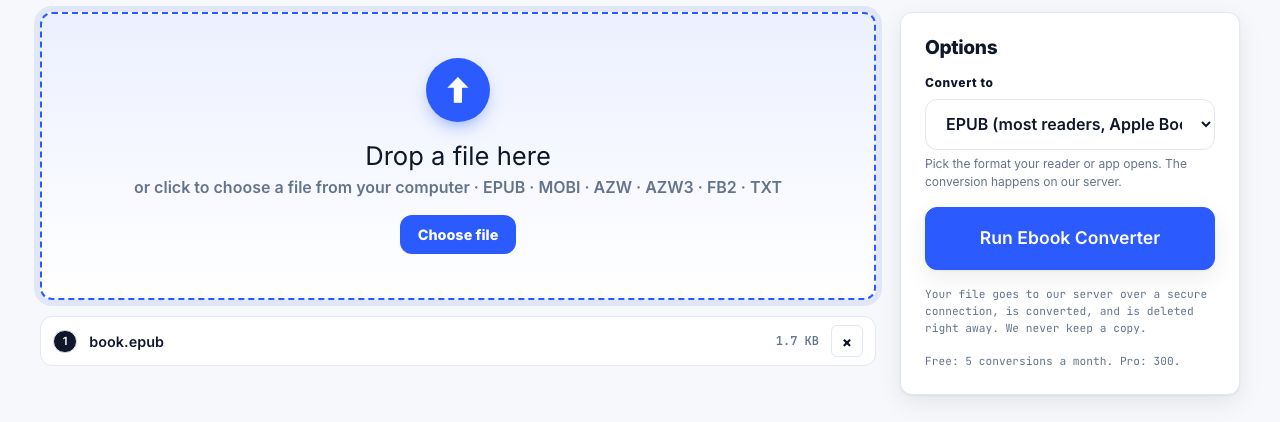
AZW3 is Amazon's Kindle format for reflowable books. EPUB is the widely supported alternative used by Kobo, Apple Books, Android reading apps and many library systems. Converting a file you already own in an unprotected format can make it easier to read on another device, but the file extension alone does not tell you whether conversion is possible.
Check for copy protection first
Many purchased Kindle books are encrypted with digital rights management (DRM) and tied to the Amazon account or app that downloaded them. A converter cannot read an encrypted book without its authorized decryption key. Do not upload a protected book to random converter sites or try to bypass the store's restrictions. A personal document, a public-domain download, or a book explicitly supplied DRM-free may convert normally.
- Locate a DRM-free AZW3 fileUse a file you are entitled to convert. If it only opens in the Kindle app or is described as protected, stop here and use the store's supported reading options.
- Open the ebook converterChoose Ebook Converter, select AZW3 as the input and EPUB as the output. This conversion runs on our server: the file is uploaded securely for processing and deleted when the job completes. The current per-file limit and monthly allowance are shown in the tool and pricing.
- Convert and download the EPUBWait for conversion to finish before closing the page, then save the returned EPUB to a folder you control.
- Open it in the reader you plan to useCheck the table of contents, first and last chapters, a page with images, and any footnotes. Ebook layouts reflow, so page breaks and page numbers from the AZW3 do not carry over.
- Keep the original fileSave the source AZW3 beside the EPUB until you know the new copy is complete. Conversion can change fonts, tables, and layout even when all the text survives.
Convert a DRM-free AZW3 book to EPUB for compatible ebook readers.
Ebook Converter →AZW and AZW3 are not quite the same
AZW is commonly based on older MOBI technology; AZW3, also called KF8, supports richer styling. Both extensions may be attached to protected Kindle downloads, so neither guarantees a convertible file. If you have an older .azw file, try the converter only when you know it is DRM-free. For general format differences, see our ebook format guide.
What may change in EPUB
- The words and chapter sequence should remain, but inspect the table of contents and chapter breaks.
- Embedded fonts may be substituted if the reader or converter cannot use them.
- Images can be resized or omitted if they use unsupported features.
- Fixed page numbers do not survive because EPUB text reflows to the reader's screen.
- DRM does not disappear as a side effect: protected inputs are not supported.
If you need a fixed layout for printing or citation, EPUB is not the right destination. Convert the DRM-free source to PDF instead and choose a page size, then inspect the result. Our EPUB to PDF guide explains those trade-offs.
Frequently asked questions
How do I convert AZW3 to EPUB?
Use an ebook converter with a DRM-free AZW3 file, select EPUB as the output, convert, then check chapters and images in an EPUB reader. Protected Kindle books cannot be converted.
Can I convert a Kindle book I bought from Amazon?
Many purchased Kindle books are DRM-protected and tied to your account. Those files cannot be converted by this tool. Use Amazon's supported apps and devices, or choose a title the publisher provides without DRM.
Can I convert AZW to EPUB too?
A DRM-free AZW file may convert. AZW and AZW3 extensions do not indicate whether a file is protected, so verify that you have an unencrypted file before using a converter.
Will the EPUB look exactly like the AZW3?
Not necessarily. EPUB text reflows to fit each screen, so fixed page breaks and page numbers change. Check the table of contents, images, footnotes, and fonts after conversion.