How to print a web receipt cleanly

To print a web receipt clearly, first use the store’s Download or Print option. If the receipt is a public page covered with menus or ads, open it in Web Page Cleaner and save the clean view as a PDF. Private pages behind a login may not load from a pasted URL. Check amounts, date, tax, and order number before filing the copy.
See the tools in action
To print a web receipt without menus or ads, start with the store’s own download. If you only have a cluttered public page, Web Page Cleaner can prepare a cleaner view to print or save as a PDF. Do not paste a private order URL: it may require a login, and the URL may reach public readers if PrintxPDF’s own reader fails.
How to print or save a web receipt as a PDF
- Look for the original downloadOn the order page, choose Download receipt, Invoice, or PDF when available. This preserves the document issued by the seller.
- Open browser printIf no download is available, open the receipt and select Print. In the preview, choose Save as PDF and check that all items and totals appear.
- Clean only suitable pagesFor a cluttered public page, open Web Page Cleaner. Its remote reader cannot access pages that require authentication.
- Check the detailsVerify the store name, order number, date, currency, subtotal, tax, and total.
- Keep a safe copyUse a clear name such as store-date-receipt.pdf. Keep the confirmation email too if it is part of the record.
Clean and print a web page. Free, no signup, no watermark.
Web Page Cleaner →Choose a method that fits privacy and fidelity
| Method | Best for | Keep in mind |
|---|---|---|
| Official store download | Purchase receipts and invoices | Keeps the document issued by the seller. |
| Print from an open session | A private order page | The page stays in your session; save the PDF locally. |
| Web Page Cleaner | Public pages with ads or menus | If its own reader fails, public services may receive the URL. |
Protect receipt details
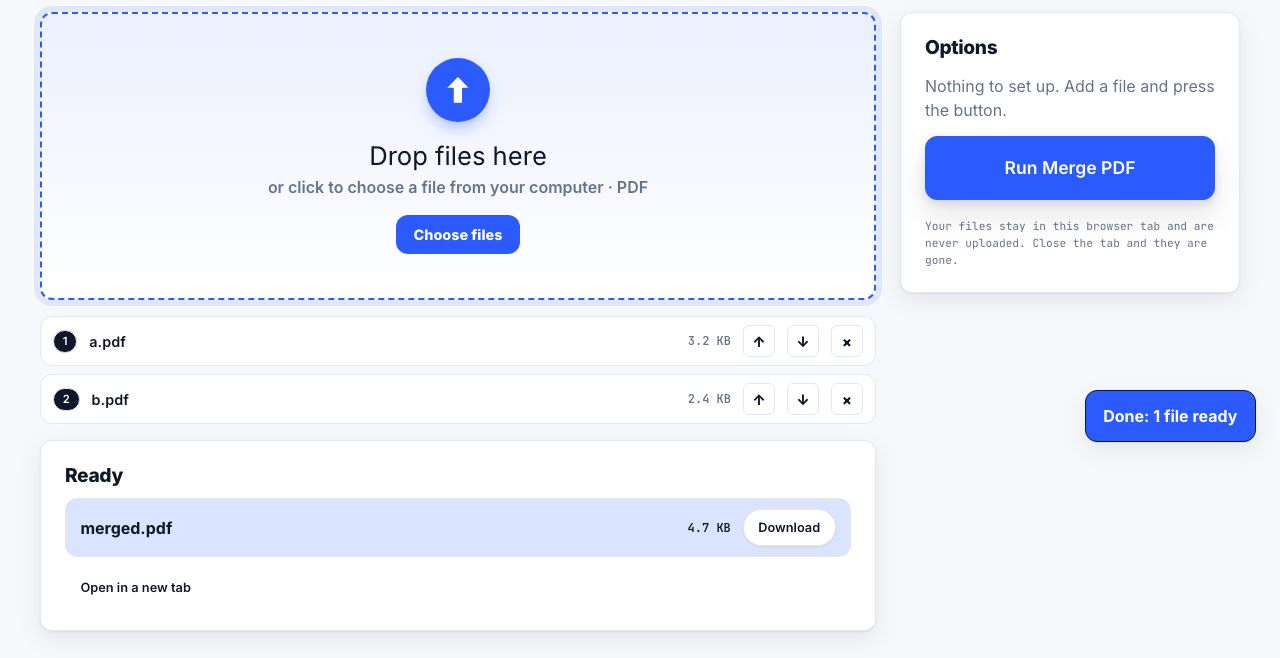
A receipt may show your name, address, part of a payment method, or order number. Before sending it, decide which details the recipient needs. If you need to combine receipts, check the order and use Merge PDF. Cleaning a page does not make the file private; control the PDF copy and how you send it.
Frequently asked questions
What is the safest way to save a purchase receipt?
Download the official PDF from the store when available. If only a private page is available, print it from your browser while signed in and save the file locally. Check all amounts before filing it.
Can Web Page Cleaner open my receipt after I sign in?
Not necessarily. Its URL reader does not use your login session or cookies. Use the store’s download button or print the page already open in your browser.
Can I save the print preview as a PDF?
Yes. Choose Save as PDF in your browser’s print dialog. Check paper size, margins, pages, and totals before saving.
Should I remove personal details before sharing a receipt?
Share only the details the recipient needs. A receipt may include your name, address, or order information. If you must hide content, use true redaction and check the PDF before sending.