How to change a PDF author, title, and keywords

To change PDF metadata, open a copy in a metadata editor, replace the title, author, subject, or keywords, download the updated file, and verify the visible document remains correct. PrintxPDF edits standard PDF metadata locally in your browser without signup or a watermark.
See the tools in action
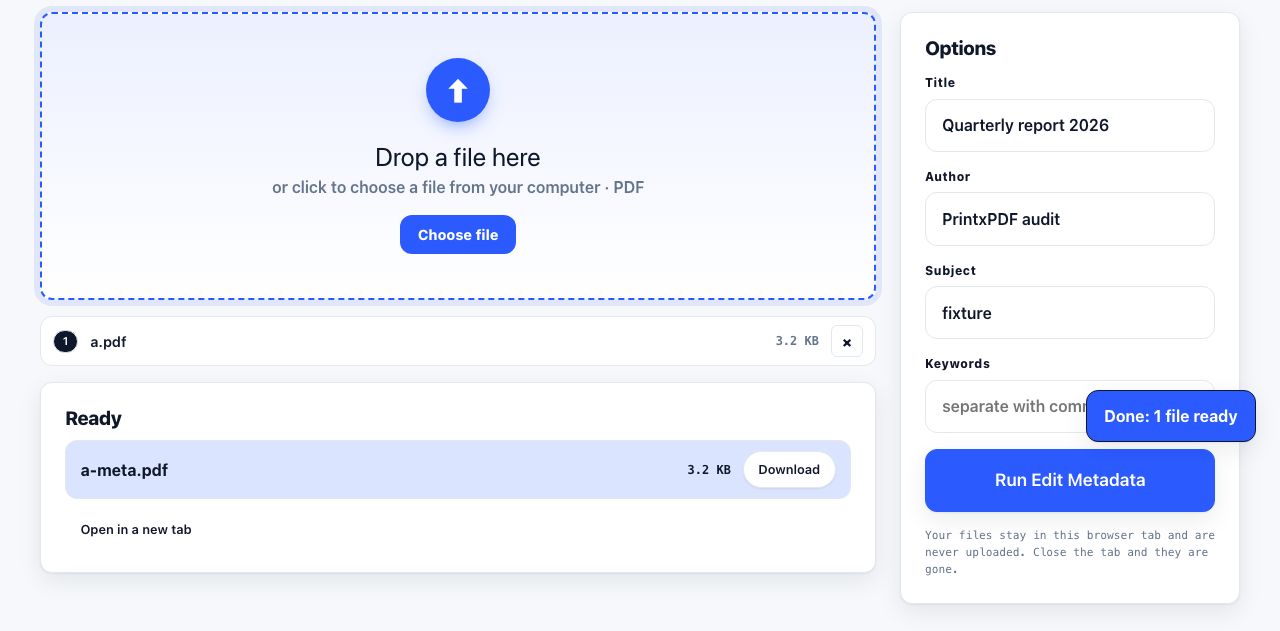
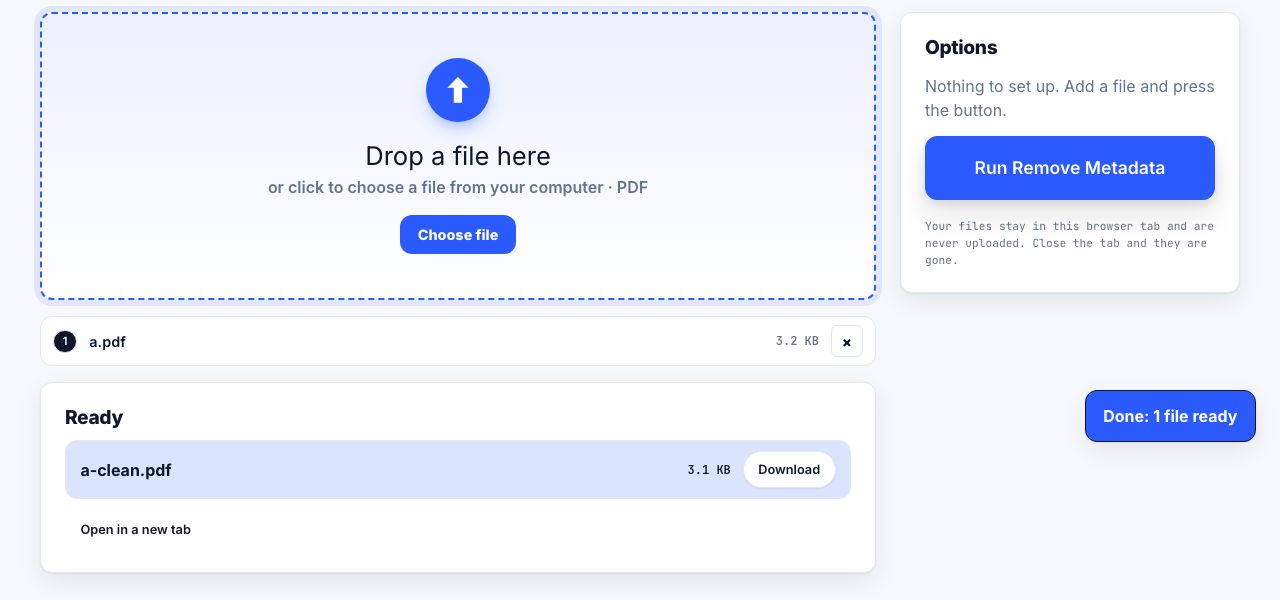
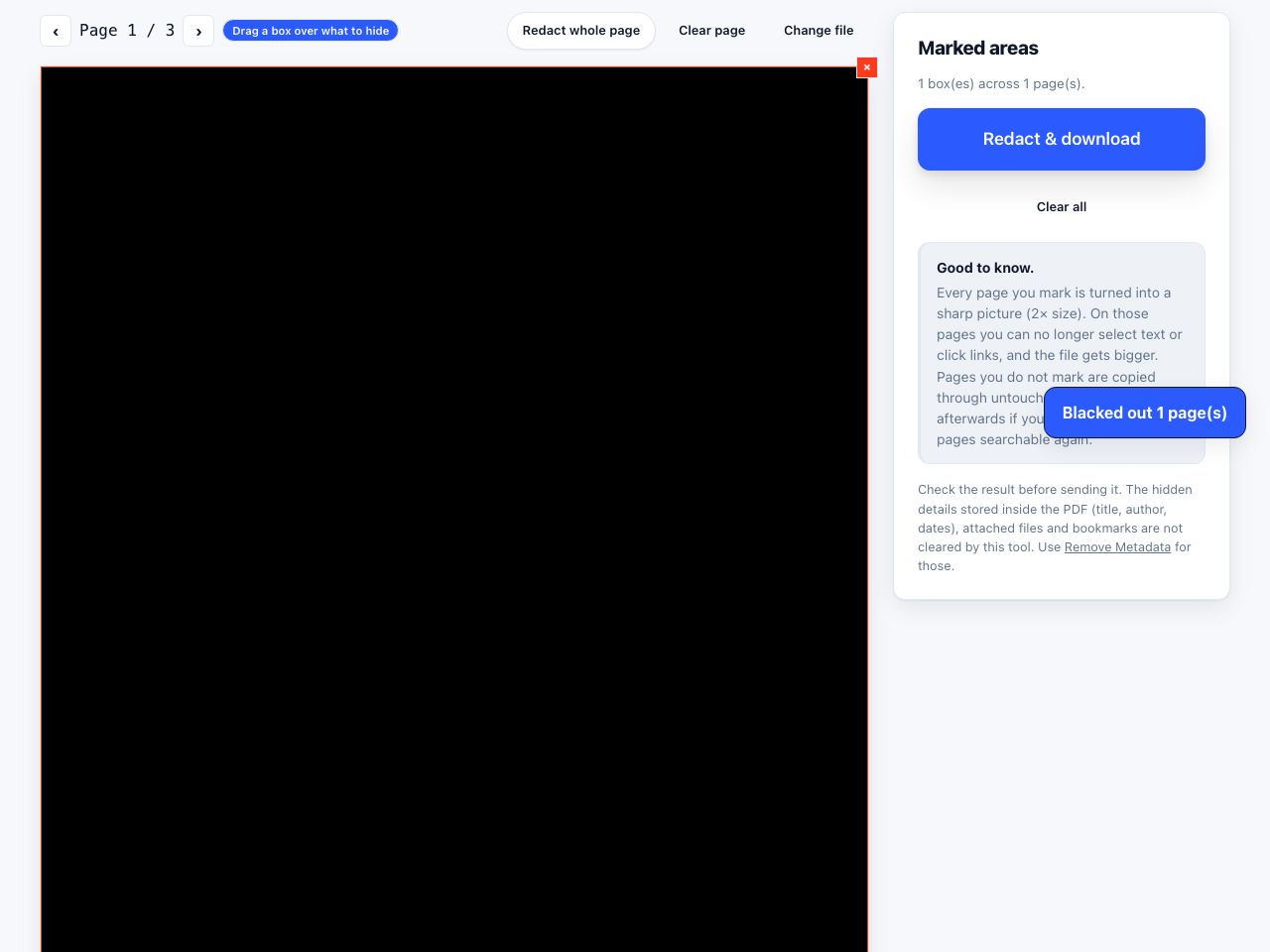
PDF metadata helps file managers, readers, and document systems identify a file, even though it may not appear on the page. Correcting a title, author, subject, or keywords can make an approved PDF easier to find and classify. Work on a copy, use accurate descriptive values, and review the result before sharing it. PrintxPDF edits standard PDF metadata in your browser, without an account, card, watermark, or routine upload.
How to change PDF title, author, and keywords
- Keep the original fileSave an untouched copy when provenance, signatures, or the original source details matter.
- Open Edit MetadataAdd the PDF to Edit Metadata in your browser.
- Review current valuesCheck title, author, subject, and keywords before changing them. Use accurate, approved descriptions.
- Save a new copyDownload the edited PDF with a clear version name.
- Verify the resultOpen the PDF and check that visible pages are unchanged and metadata displays as intended in a reader or file manager.
Edit PDF metadata in your tab. Free, no signup, no watermark.
Edit Metadata →Edit metadata or remove it?
| Goal | Best tool | Result |
|---|---|---|
| Correct a title or author | Edit Metadata | Updates selected standard fields. |
| Share with fewer standard properties | Remove Metadata | Creates a copy without standard document properties. |
| Hide confidential text | Redact PDF | Removes visible content using a redaction workflow. |
| Rename the downloaded file | Your file manager | Changes the filename, not embedded PDF metadata. |
Use accurate metadata for document management
A clear title and subject can help a PDF appear correctly in search results, document repositories, and reader tabs. Use names that describe the document rather than internal drafts or temporary labels. Avoid inserting sensitive personal information merely to make a file easier to identify. When a receiving system sets metadata rules, follow that system rather than guessing about its preferred format.
Editing metadata does not remove every hidden detail
Changing standard fields such as author and title is not a forensic cleansing process. A PDF can contain other data in comments, attachments, form fields, images, revision history, or nonstandard metadata structures. Use Remove Metadata when the policy calls for a cleaner distribution copy, and inspect the output. Use Redact PDF when visible content must not be shared.
Browser-local changes for private records
Metadata can reveal internal project names, staff identities, or workflow details. Browser-local editing avoids an unnecessary upload for standard metadata changes. You still decide which output file to share and where it is stored. Review the PDF and its visible pages before sending it, especially when the source contains client, financial, medical, or legal information.
Keep records and versions clear
Use a descriptive filename alongside accurate embedded metadata, then keep the original when it serves a recordkeeping purpose. If a PDF is signed or subject to retention requirements, check whether updating metadata affects the record process before editing it. Store the updated delivery copy separately so a future reviewer can distinguish the source from the corrected metadata version.
Frequently asked questions
Can I change PDF metadata for free?
Yes. Edit standard fields such as title, author, subject, and keywords in the browser, then download the updated copy without signup.
Does changing PDF metadata change visible page text?
No. Standard metadata fields are separate from visible page content. Review the downloaded PDF to confirm the pages remain as expected.
Can I remove all hidden PDF data by editing metadata?
No. Editing selected fields is different from removing standard properties or redacting page content. Use the appropriate privacy tool for the data involved.
Is Edit Metadata private?
Standard metadata editing runs in the browser tab, so the PDF is not routinely uploaded for processing.