Does ChatGPT add metadata to generated images?

AI image files can contain metadata or provenance information depending on the tool, export path, and file format. Do not assume every image has the same fields. If you need a shareable copy without common metadata containers, make a new copy with PrintxPDF’s AI Metadata Remover, then review both the visible image and the destination.
See the tools in action
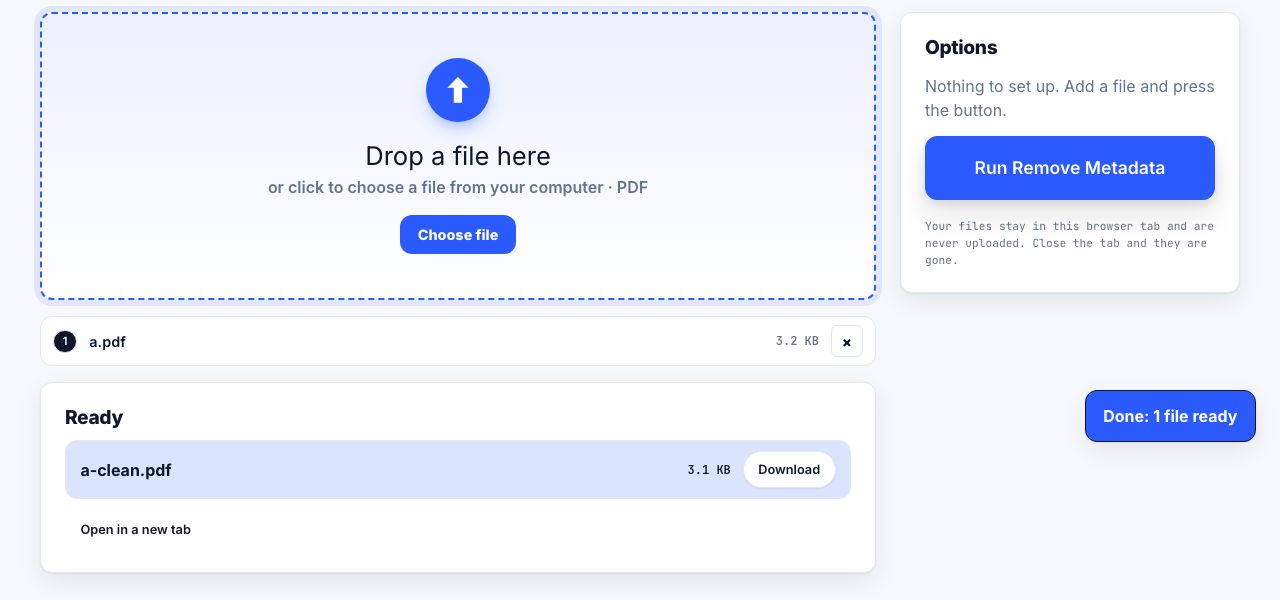

ChatGPT-generated images may carry metadata depending on how they were created, saved, exported, and later edited. The only reliable way to know is to inspect the actual file; labels and metadata can vary by format and workflow. When you need a clean copy for ordinary sharing, PrintxPDF’s AI Metadata Remover makes a new image in your browser without common metadata containers, signup, or watermarks.
How to create a metadata-clean AI image copy
- Save a copy firstKeep the original in case you need its provenance, edit history, or source record later.
- Open AI Metadata RemoverAdd the image to AI Metadata Remover in a current browser tab.
- Create a clean copyChoose the output where offered, process the file, and download the new image. The original is not overwritten.
- Check the resultOpen the output, compare the visible pixels, and inspect the intended sharing destination before posting or sending.
Create a metadata-clean image copy in your tab. Free, no signup, no watermark.
AI Metadata Remover →Inspect, clean, or preserve the source?
| Approach | What it changes | When it fits |
|---|---|---|
| Re-save through AI Metadata Remover | Creates a new image without common metadata containers | Share a clean copy when the image itself is safe to share. |
| Edit metadata fields | Changes selected properties | Correct author or caption details without a full clean copy. |
| Blur or crop visible content | Changes pixels | Hide visible labels, faces, or sensitive surroundings. |
| Keep the original | Changes nothing | Retain provenance, workflow, or evidentiary details. |
Metadata removal is not image anonymization
A clean metadata copy can still reveal information through its pixels. A visible watermark, caption, location sign, reflected screen, filename shown in a screenshot, or recognizable person is not metadata. Removing EXIF, XMP, or common AI provenance data does not alter those visible clues. Review the image at full size and use a separate editing process when the picture itself needs changes.
Why local browser processing matters
Images can include private interiors, client work, IDs, or unreleased campaign assets. For this standard workflow, PrintxPDF processes the file locally in the browser instead of routinely sending it to a server. That reduces an unnecessary copy outside your device. It does not replace your organization’s privacy policy, and it does not make an image appropriate to share with an untrusted recipient.
Know what the output can and cannot prove
This tool removes common metadata by creating a new image file. It cannot guarantee removal of every possible hidden signal across every format, platform, or future detection method. It also cannot prove an image is human-made, AI-made, authentic, licensed, or safe to publish. Treat the result as a sharing copy, not a forensic conclusion.
A practical sharing checklist
Before publishing, confirm the recipient needs the image, the visible content is acceptable, and the downloaded copy is the one you selected. Keep the original separately if you may need to show its source or edit history later. If the file is too large for a platform, use Image Converter on a copy and check quality before posting.
Frequently asked questions
Do all ChatGPT images contain metadata?
No. Metadata depends on the file format, generation path, export method, and later edits. Inspect the specific file rather than relying on a general assumption.
Will removing metadata change the image appearance?
A re-saved copy is intended to preserve the visible image, but always compare the downloaded file before publishing or printing.
Can metadata removal remove a visible AI label?
No. A visible label is part of the pixels. It requires an image-editing decision and may be subject to platform or licensing rules.
Should I keep the original AI image?
Yes when you may need provenance, licensing, workflow history, or a higher-quality source. Share the clean copy separately.