Print only what matters.
Fix any PDF.
Paste a link and keep just the article: no ads, no menus, no comment threads. Print it or save it as a PDF. Or drop in a PDF and merge, split, sign, shrink, black out private details, make scans searchable or convert it. Nearly every tool runs inside this tab, so the file never leaves your computer, and the few jobs that need our server say so before you start.
- Free tools stay free. No account, no card, no watermark on anything you make.
- No trial that turns into a charge. There is no trial. Paid plans start only when you pick one.
- Cancel in one click. No email to send, nobody talking you out of it, full refund inside 14 days, 30 on Lifetime.
Edit, sign and prepare PDFs without uploading them.
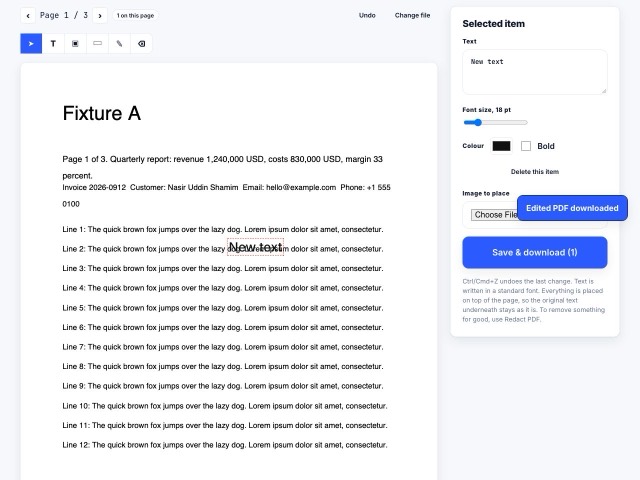
Add text, highlights, comments, signatures and fillable fields, reorder pages, delete pages, then download the result. Your original file stays unchanged in your browser.
44 tools.
One tab. No account.
Merge PDF
Combine files into one
Split PDF
Break one PDF into several
Organize Pages
Reorder, rotate, delete pages
Rotate PDF
Turn pages the right way up
Delete Pages
Remove pages by number
Extract Pages
Keep only the pages you need
Compress PDF
Shrink the file size
OCR PDF
Make scans searchable
PDF Reader
Open and read a PDF online
PDF to JPG
Save pages as pictures
JPG to PDF
Turn pictures into one PDF
Word to PDF
Word → PDF
Paste a link
We load the page and keep only the article, right in your browser. Menus, sidebars, pop-ups and comment threads are gone before you see it.
Keep what you want
Click any paragraph, image or table to remove it, or drag across a whole section. Resize the text, shrink the images, undo with one key.
Print, save or send
Print it with crisp text, save it as a PDF or an image, or email it to yourself. Your edits stay in this browser.
Take it wherever you work.
PDF tools
Everything a document needs: create, edit, fill in, organize, protect, black out private details, compare, convert. Browser tools never upload your file.
Open the toolsChrome extension
One click on any page opens it in the page cleaner. Right-click a link or some highlighted text to send just that. It reads nothing until you click.
Get the extensionWordPress plugin
Install the free plugin from WordPress.org. Add Print, Save as PDF and Email buttons, with no plugin account or API key.
Get the pluginSignatures
Draw or type a signature, place it on any page, add the date, download. Save it for next time.
Sign a PDFPrivacy is not a feature. It is how the site is built.
Most tools process your PDF in your browser, on your computer. Jobs that require our server are labelled before you upload; those files travel over a secure connection and are deleted when processing finishes.